
Hypervisor
What is a Hypervisor?
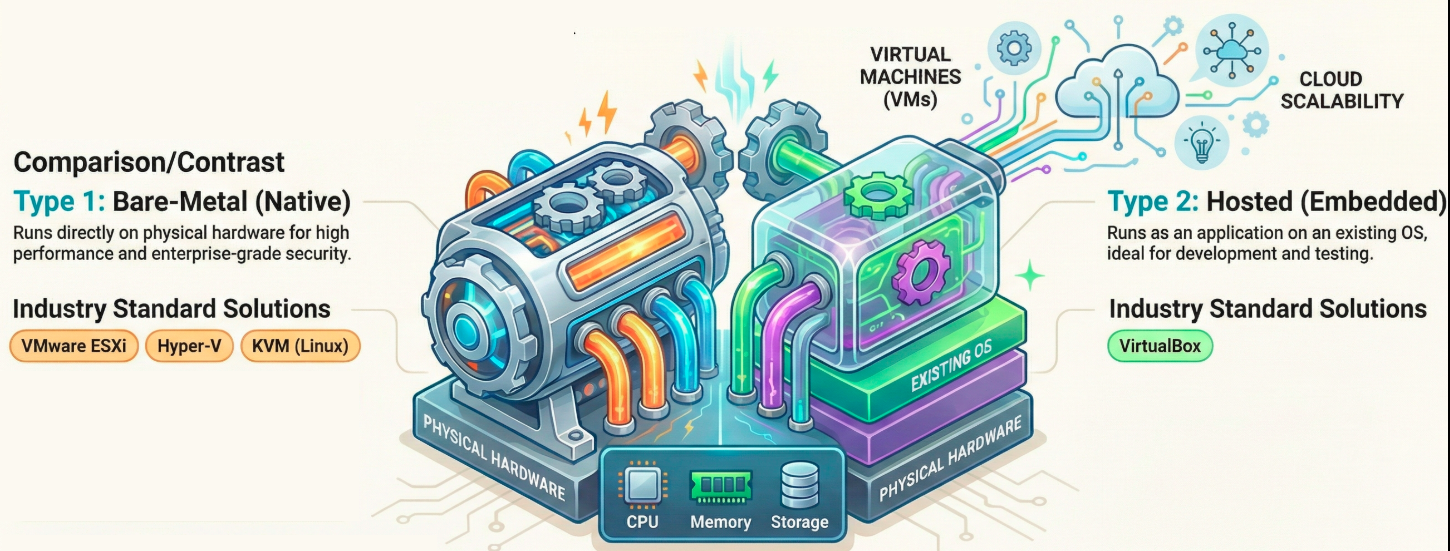
Section titled “What is a Hypervisor?”A hypervisor, also referred to as a Virtual Machine Monitor (VMM), is a software virtualization layer that enables multiple virtual machines (VMs) to run concurrently on a single physical server. The hypervisor acts as an intermediary, pooling and allocating physical computing resources such as CPU, memory, and storage to each individual VM.
In a hypervisor environment, the physical hardware is known as the “host machine”, while the virtual machines utilizing the virtualized resources are called “guest machines”. The term “hypervisor” was coined in the 1970s and is derived from “supervisor” (a traditional term for an operating system’s kernel), essentially making the hypervisor the “supervisor of supervisors”.
Brief History
Section titled “Brief History”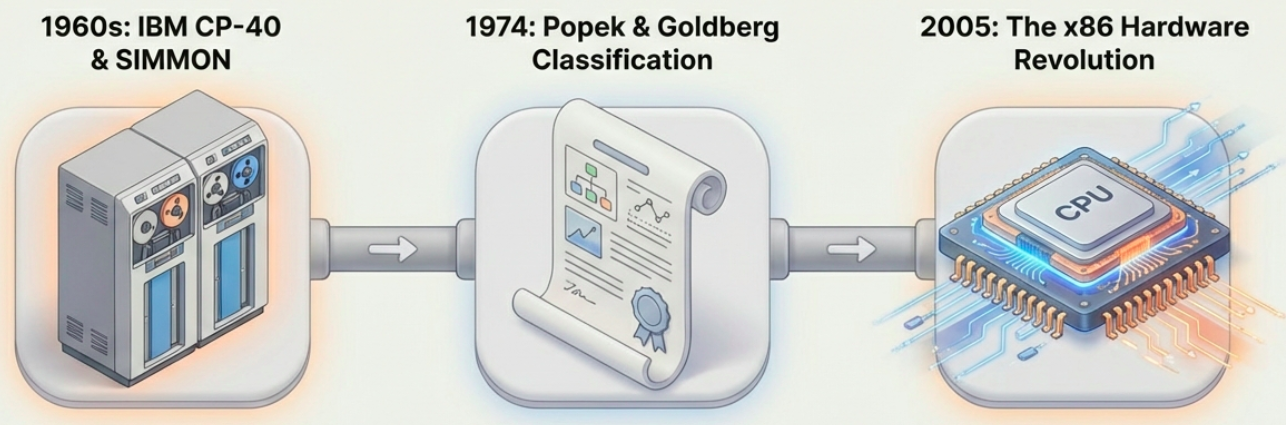
- Late 1960s: The first hypervisors utilizing full virtualization were the IBM experimental tool SIMMON and the CP-40 system (later released as CP-67).
- 1974: Gerald J. Popek and Robert P. Goldberg published Formal Requirements for Virtualizable Third Generation Architectures, which established the classic classification of Type 1 and Type 2 hypervisors.
- 2005 and beyond: The introduction of hardware virtualization support in x86 processors, combined with multi-core CPUs, led to the broad acceptance and widespread use of hypervisors outside of large UNIX mainframe systems.
Core Functions and Operations
Section titled “Core Functions and Operations”Hypervisors sit between the physical hardware and the VMs, creating isolated virtual environments. Their core functions include:
- Resource Allocation: Distributing CPU, memory, network bandwidth, and storage capacity to VMs as needed.
- Isolation: Keeping workloads separated logically so that if one VM crashes or faces a security compromise, the others remain unaffected.
- Communication: Both physical machines and VMs generally communicate with the hypervisor using application programming interface (API) calls.
- Advanced Management Features: Modern hypervisors support advanced features like snapshots (capturing a VM’s exact state for easy rollback) and live migration (moving a running VM between servers without any downtime).
Types of Hypervisors
Section titled “Types of Hypervisors”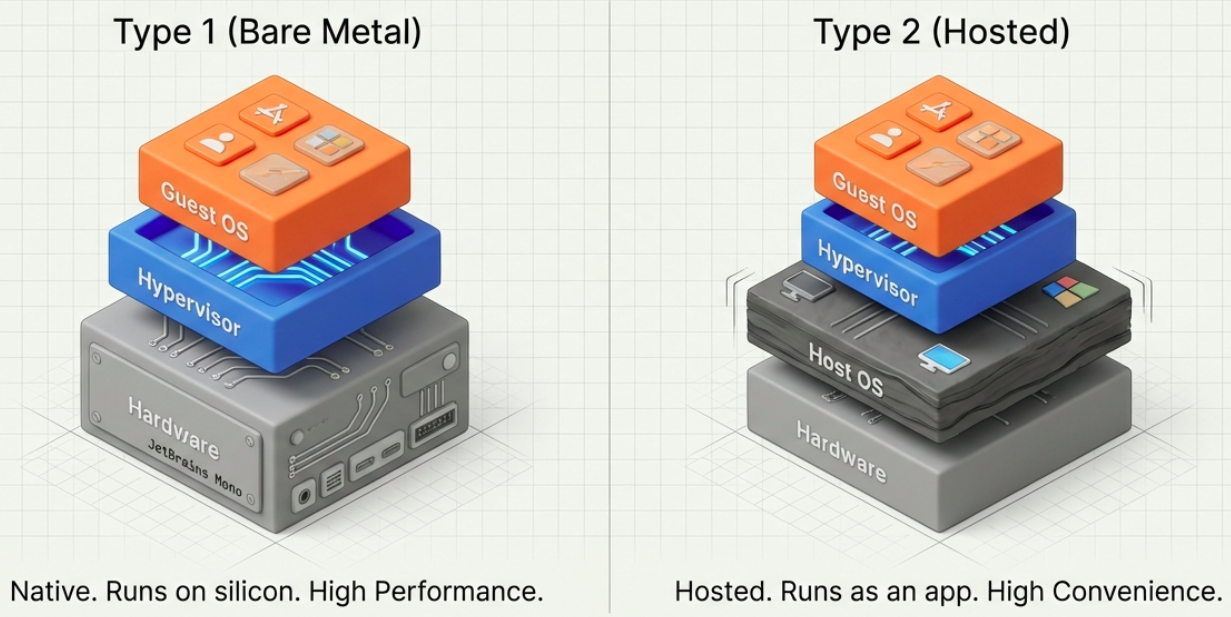
Hypervisors are divided into two main categories:
Type 1 Hypervisors (Bare-Metal)
Section titled “Type 1 Hypervisors (Bare-Metal)”Type 1 hypervisors run directly on the host machine’s physical hardware, completely replacing the need for an underlying host operating system.
- Use Case: They are the standard for enterprise environments and data centers because they provide high performance, efficiency, and scalability.
- Security: They are generally more secure because they have direct access to the hardware without a vulnerable host OS acting as a middleman.
- Examples: VMware ESXi, Microsoft Hyper-V, KVM, XenServer (Citrix Hypervisor), and Proxmox VE.
Type 2 Hypervisors (Hosted)
Section titled “Type 2 Hypervisors (Hosted)”Type 2 hypervisors run as a software application on top of a conventional operating system (like Windows, macOS, or Linux).
- Use Case: They are primarily used on desktop computers and laptops for testing, development, and personal use (e.g., running Linux on a Windows machine).
- Drawbacks: Because they access hardware resources through the host OS, they introduce latency that can negatively impact performance, and they carry higher security risks if the host OS is compromised.
- Examples: Oracle VirtualBox, VMware Workstation, VMware Fusion, Parallels Desktop, and QEMU.
Key Benefits of Hypervisors
Section titled “Key Benefits of Hypervisors”
- Cost Efficiency: They consolidate hardware by allowing multiple VMs to share a single physical server, saving money on hardware purchases and reducing energy consumption.
- Speed and Provisioning: Hypervisors can deploy and provision VMs almost instantly, bypassing the slow process of installing physical servers.
- Scalability: Resources like memory, storage, and CPU cores can be easily adjusted and scaled to meet changing business workloads.
- Portability: Because VMs are separated from physical hardware, they can be easily migrated, backed up, or cloned.
- Disaster Recovery: Hypervisors enable rapid replication and cloning of VMs, greatly improving business continuity if a disaster occurs.
Leading Hypervisor Solutions
Section titled “Leading Hypervisor Solutions”- VMware ESXi / vSphere: A leading Type 1 commercial hypervisor known for advanced enterprise features like vMotion, Distributed Resource Scheduler (DRS), and High Availability (HA). ESXi was the dominant enterprise hypervisor for over a decade, but Broadcom’s acquisition of VMware in 2023 fundamentally changed its market position - see note below.
- KVM (Kernel-based Virtual Machine): A free, open-source Type 1 hypervisor built directly into the Linux kernel. It is highly efficient and serves as the foundation for many open-source cloud systems like OpenStack, and is the hypervisor underlying AWS EC2, Google Compute Engine, and many other major clouds.
- Microsoft Hyper-V: A Type 1 hypervisor integrated with Windows Server and Azure. It is highly favored by businesses heavily invested in the Microsoft ecosystem.
- Proxmox VE: An open-source Type 1 hypervisor built on KVM and LXC, with a full web-based management UI. It has seen significant adoption growth since 2023 as organizations migrated away from VMware.
- Citrix Hypervisor (XenServer): Based on the open-source Xen Project, this Type 1 hypervisor is highly optimized for Virtual Desktop Infrastructure (VDI) environments.
- Oracle VirtualBox: A popular, free, and open-source Type 2 hypervisor used widely for desktop virtualization.
Hypervisors vs. Containers
Section titled “Hypervisors vs. Containers”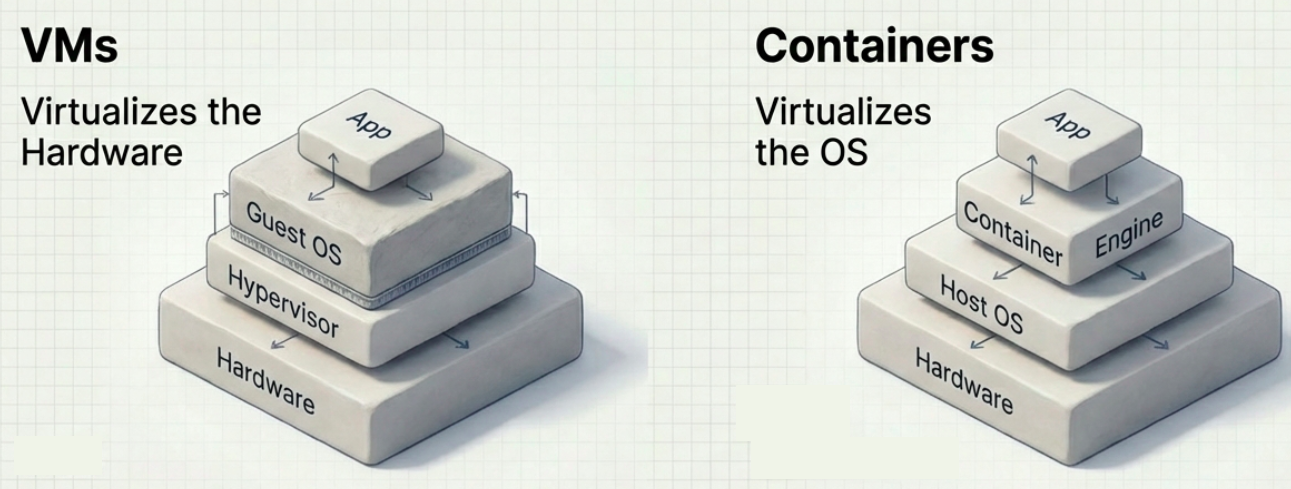
While both are virtualization technologies, they operate at different layers:
- Hypervisors virtualize hardware to run multiple isolated operating systems (VMs) on a single physical machine.
- Containers (like Docker) virtualize the operating system, splitting a single machine into segregated logical namespaces. Containers do not include a full operating system; they only pack the specific dependencies required to run an application, making them start up in milliseconds.
- In Practice: They are not mutually exclusive. Hypervisors typically run VMs, and containers run on top of those VMs to combine the hardware isolation of hypervisors with the lightweight agility of containers.
Security Considerations
Section titled “Security Considerations”Because hypervisors act as the foundation of cloud environments, major cloud providers typically manage hypervisor security. However, hardware design flaws in modern CPUs (such as the Meltdown and Spectre vulnerabilities discovered in 2018) posed significant risks, allowing users on one guest instance to potentially access data from another. Mitigating these hardware flaws required OS kernel code changes that resulted in hypervisor performance drops ranging from 5% to 30%.
How to Choose the Right Hypervisor
Section titled “How to Choose the Right Hypervisor”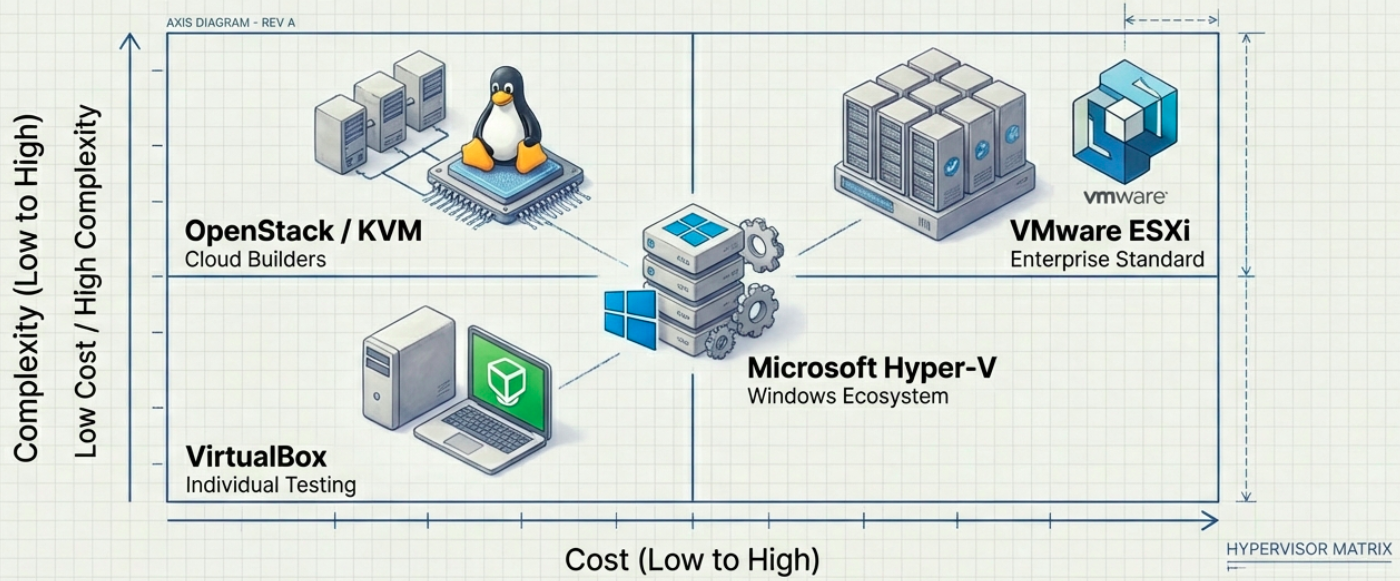
When selecting a hypervisor, organizations should evaluate several factors:
- Performance: Ensure bare-metal hypervisors support guest OS performance near native hardware speeds.
- Ecosystem & Support: Look for comprehensive documentation, technical support, and third-party plugins for backups and fail-overs.
- Management Tools: Ensure the hypervisor has robust tools to provision VMs, audit systems, and prevent “VM sprawl”.
- Live Migration: Verify that the system allows VMs to move between physical servers without downtime.
- Cost & Licensing Model: Factor in not just the hypervisor license, but the cost of enterprise management software, support contracts, and licensing model stability. Subscription models can change - evaluate the total cost trajectory, not just the current price.