
Philosophy & Concepts
The Unix Lineage
Section titled “The Unix Lineage”Linux wasn’t created in a vacuum. It was directly inspired by UNIX, the operating system developed at Bell Labs in the late 1960s and 70s. Linux is not UNIX - it never shared UNIX source code - but it deliberately follows UNIX design philosophy and is largely UNIX-compatible in practice.
The key milestone: in 1991, Linus Torvalds released the first version of the Linux kernel. In 1992, the kernel was re-licensed under the GNU General Public License (GPL), making it truly free and open source. Developers paired the kernel with tools from the GNU Project (maintained by the Free Software Foundation) to produce complete, usable operating systems - what we now call Linux distributions.
The Unix Philosophy
Section titled “The Unix Philosophy”Linux inherits the Unix philosophy, which has guided its design from day one. The core principles:
- Everything is a file. Processes, devices, network sockets, and hardware interfaces are all represented as file-like objects. This gives you a consistent interface: the same tools that read a text file can often read from
/dev/sdaor/proc/cpuinfo. - Small tools that do one thing well. Rather than one monolithic program with a thousand flags, Unix favors composing small, sharp tools via pipes.
- Text as the universal interface. Configuration, logs, process state - almost everything is human-readable text, which means it’s scriptable and greppable.
- Hierarchical file system. All storage is organized under a single root tree starting at
/. Network mounts, USB drives, virtual filesystems - everything attaches to this tree.
Core Terminology
Section titled “Core Terminology”These are the building blocks you’ll encounter constantly. Worth knowing cold.
| Term | What it means |
|---|---|
| Kernel | The core of the OS. Manages hardware (CPU, memory, devices) and exposes system calls to applications. The Linux kernel is monolithic but supports loadable modules. |
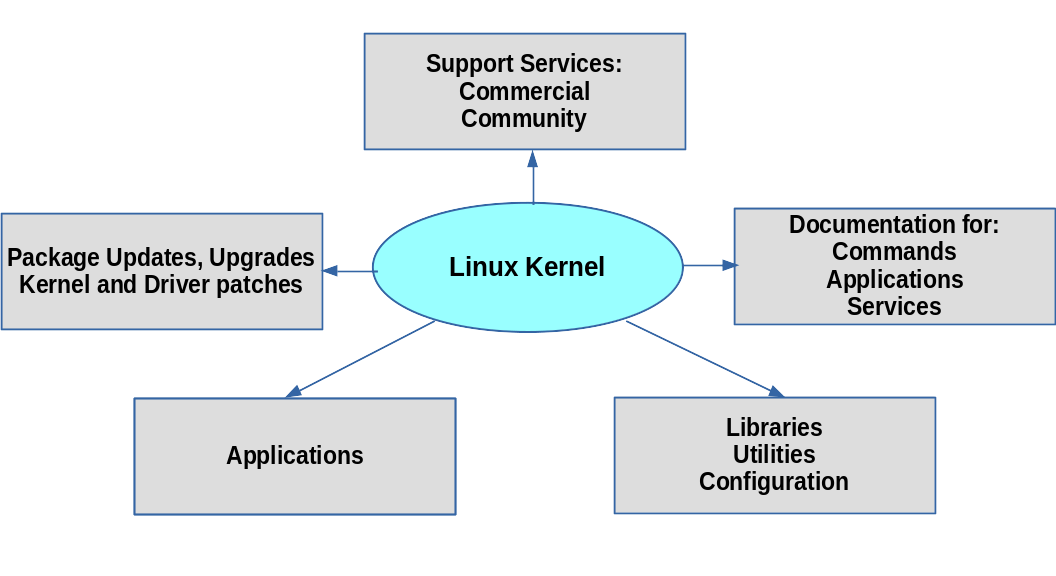
| Distribution (Distro) | A complete OS built on the Linux kernel. Includes the kernel, init system, package manager, system libraries, and optionally a desktop. Examples: Ubuntu, Debian, Fedora, Arch. |
| Shell | A command-line interpreter - the program that reads your typed commands and executes them. Common shells: bash (default on most distros), zsh, fish, dash. |
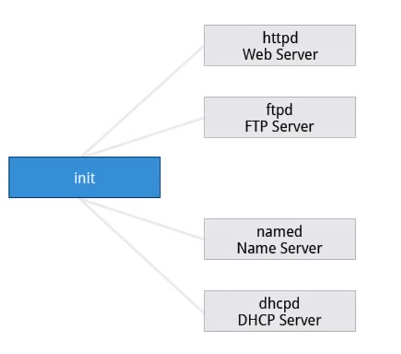
| Daemon | A background process that runs without direct user interaction. Named after the UNIX daemon concept. Examples: sshd (SSH server), crond (job scheduler), systemd (init). |
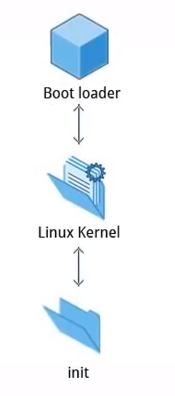
| Boot Loader | The first software that runs after firmware. Loads the kernel into memory and hands over control. The dominant Linux bootloader is GRUB; systemd-boot is gaining ground on UEFI systems. |
| Init System | The first process the kernel starts (PID 1). It bootstraps the rest of userspace - mounts filesystems, starts services, manages daemons. The modern standard is systemd. Legacy: SysV init, Upstart. |
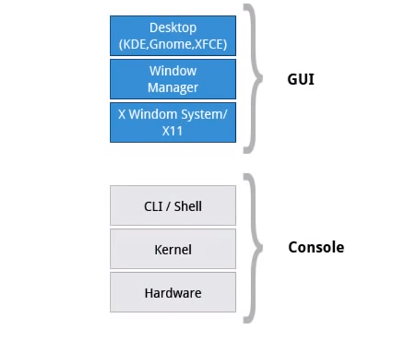
| Desktop Environment | The full graphical user experience layered on top of the OS: window manager, file manager, settings panel, etc. Common examples: GNOME, KDE Plasma, XFCE. Servers typically run headless - no desktop environment. |
| X Window System / Wayland | The display infrastructure. X11 (X Window System) is the long-standing standard; Wayland is the modern replacement, now the default on most major distros. |
| Package Manager | The tool for installing, updating, and removing software. Distro-specific: apt (Debian/Ubuntu), dnf/yum (RHEL/Fedora), pacman (Arch), zypper (openSUSE). |
Major Linux Distribution Families
Section titled “Major Linux Distribution Families”Distros cluster into families that share a common base and package management approach. Knowing the family tells you which tools apply.
| Family | Key Distros | Package Manager | Common Use |
|---|---|---|---|
| Debian | Debian, Ubuntu, Linux Mint, Kali | apt / .deb | Desktops, servers, cloud VMs |
| Red Hat | RHEL, Fedora, Rocky Linux, AlmaLinux, CentOS Stream | dnf / .rpm | Enterprise servers, on-prem infra |
| SUSE | openSUSE, SLES | zypper / .rpm | Enterprise, SAP workloads |
| Arch | Arch Linux, Manjaro, EndeavourOS | pacman | Rolling-release, advanced users |
| Alpine | Alpine Linux | apk | Containers, minimal footprints |
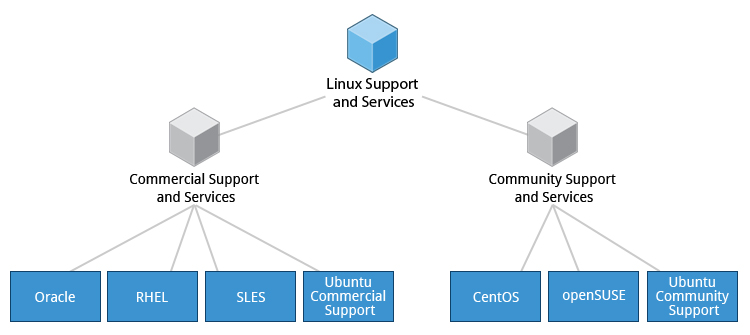
Multitasking and Multi-User Design
Section titled “Multitasking and Multi-User Design”Linux was built from the start as a multi-user, multitasking system. This isn’t a feature bolted on - it shapes everything:
- Multitasking: The kernel’s scheduler runs multiple processes concurrently, switching between them fast enough that everything appears simultaneous. Even on a single CPU core.
- Multi-user: Every file, process, and resource has an owner. Users are isolated from each other by default. The root user (
UID 0) has unrestricted access; everyone else operates within their permissions. - Networking built in: Network services (
sshd,httpd, etc.) are first-class citizens - not afterthoughts. Remote access via SSH has been standard practice since the 1990s.