
Open Container Initiative (OCI)
The Open Container Initiative (OCI) is a vendor-neutral, lightweight governance council operating under the umbrella of the Linux Foundation. Its primary responsibility is to govern and maintain low-level, open industry standards for the container ecosystem - making sure that containers built with one tool can run on another.
Why Was the OCI Created?
Section titled “Why Was the OCI Created?”The Fragmentation Problem
Section titled “The Fragmentation Problem”Before the OCI, the early container ecosystem was fragmenting. Docker had grown dominant, but a company called CoreOS was unhappy with that position and created a competing standard called appc, along with a reference runtime implementation called rkt (pronounced “rocket”). Competing container standards meant confusion for users, slower adoption, and tools that couldn’t talk to each other.
Major players - including Docker, Google, VMware, and Microsoft - united to form the OCI in 2015. This allowed the community to archive the competing appc project and consolidate all low-level container specifications under a single, neutral governing body.
- Standardization: Establish universal rules for how containers are built, run, and distributed
- Preventing vendor lock-in: Open, public standards mean you’re not tied to any single platform or tool
- Interoperability: Build an image with Podman, run it on Docker. Push to Docker Hub, pull with
containerd. The spec guarantees compatibility
The Three Core Specifications
Section titled “The Three Core Specifications”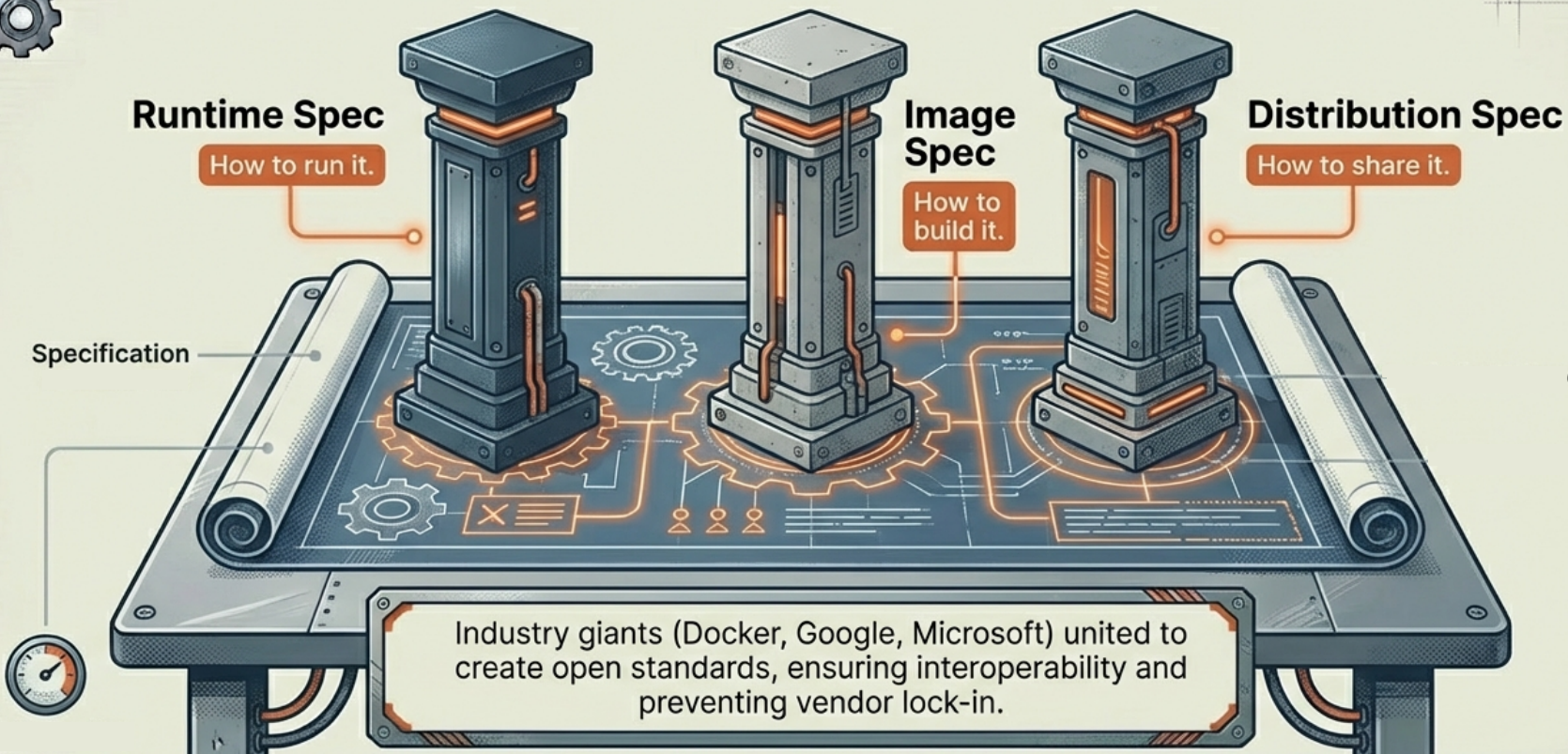
The OCI maintains three primary specs that cover the full container lifecycle:
| Spec | What it governs |
|---|---|
| image-spec | The standard format and metadata for container images - how the layered filesystem is serialized and labeled |
| runtime-spec | The rules for how a container should be executed - what the runtime must do to go from an image to a running process |
| distribution-spec | The protocols for distributing images - how they are pushed to and pulled from container registries |
These three specs together cover the entire journey of a container: from being built as an image, to being stored in a registry, to being executed by a runtime.
The Role of runc
Section titled “The Role of runc”To help establish these standards with a working implementation, Docker Inc. donated its internal libcontainer codebase to the OCI. This became the seed for runc - the OCI reference runtime implementation.
runc is a low-level CLI tool that directly creates and runs containers according to the OCI runtime spec. It is not meant to be used by developers directly - instead, higher-level tools like containerd and dockerd call into runc under the hood:
dockerd → containerd → runc → container processThis is why OCI images built with Docker run on Kubernetes without modification: Kubernetes uses containerd directly, which uses runc - the same runtime stack, just with the Docker daemon layer removed.
OCI in Practice: Docker’s Implementation
Section titled “OCI in Practice: Docker’s Implementation”Modern Docker implements all three OCI specifications end-to-end:
| Layer | OCI spec | Docker component |
|---|---|---|
| Build | image-spec | BuildKit creates OCI-compliant images |
| Store | distribution-spec | Docker Hub operates as an OCI-compliant registry |
| Run | runtime-spec | containerd + runc is an OCI-compliant runtime stack |
This is why the dockershim removal in Kubernetes v1.24 didn’t break images: Kubernetes stopped calling dockerd, but the image format (image-spec) and the runtime underneath (containerd/runc) both stayed OCI-compliant. The container works the same - only the entry point changed.
OCI as Universal Artifact Store
Section titled “OCI as Universal Artifact Store”The OCI started as a container standard, but the distribution-spec turned out to be useful for any artifact — not just container images. Since 2021, the OCI ecosystem has progressively adopted OCI registries as the universal storage and distribution layer for the entire DevOps toolchain.
How It Works
Section titled “How It Works”OCI images are just layered blobs with a manifest describing them. The manifest has a mediaType field. By customizing that field, any tool can wrap any binary payload — a Helm chart, a Terraform module, an SBOM, a cosign signature — into an OCI-compliant artifact and push it to any OCI-compatible registry.
┌─────────────────────────────────────────────────┐│ OCI Registry (e.g. Docker Hub, GHCR) │├──────────────────────┬──────────────────────────┤│ Container images │ Any other artifact ││ (mediaType: image) │ (custom mediaType) │├──────────────────────┼──────────────────────────┤│ my-app:v1.0 │ my-chart:1.2.0 (Helm) ││ │ my-module:0.3.0 (TF) ││ │ my-app.sbom:v1.0 ││ │ my-app.sig:v1.0 (cosign) │└──────────────────────┴──────────────────────────┘Common OCI Artifact Types (2025)
Section titled “Common OCI Artifact Types (2025)”| Artifact | Tool | OCI mediaType |
|---|---|---|
| Container images | Docker, Podman, Buildah | application/vnd.oci.image.manifest.v1+json |
| Helm charts | Helm 3.8+ | application/vnd.cncf.helm.chart.content.v1.tar+gzip |
| Terraform modules | OpenTofu / Terraform 1.8+ | application/vnd.opentofu.module |
| SBOMs | Syft, Docker Scout | application/spdx+json, application/vnd.cyclonedx+json |
| Signatures | cosign | application/vnd.dev.cosign.simplesigning.v1+json |
| Attestations | cosign, SLSA provenance | application/vnd.in-toto+json |
| OPA policies | Conftest | application/vnd.cncf.conftest.policy.v1.tar+gzip |
Why This Matters
Section titled “Why This Matters”- Single registry for everything: One access control system, one audit log, one retention policy — for images, charts, modules, and signatures together.
- Artifact co-location: A cosign signature and SBOM can live at the same registry path as the image they describe, making them trivially discoverable.
- Supply chain traceability: Provenance attestations (who built what, when, from which source commit) stored as OCI artifacts alongside the image they describe.
Working with OCI Artifacts
Section titled “Working with OCI Artifacts”Helm charts stored in OCI registries (Helm 3.8+ default):
# Login to registryhelm registry login myregistry.io
# Push a Helm chart as an OCI artifacthelm push my-chart-1.2.0.tgz oci://myregistry.io/charts
# Pull and install directly from OCIhelm install my-release oci://myregistry.io/charts/my-chart --version 1.2.0
General OCI artifacts via the oras CLI (OCI Registry As Storage):
# Install orasbrew install oras
# Push any file as an OCI artifactoras push myregistry.io/my-sbom:v1.0 \  --artifact-type application/spdx+json \  sbom.json:application/spdx+json
# Pull it backoras pull myregistry.io/my-sbom:v1.0
# Discover all artifacts attached to an image (signatures, SBOMs, attestations)oras discover myregistry.io/my-app:v1.0
cosign signatures are stored as OCI artifacts automatically — see Docker Security: Sigstore/cosign for details.