
Storage
Computer storage is broadly divided into two categories:
- Primary storage (RAM, cache) - fast but volatile; lost on power off
- Secondary storage (HDDs, SSDs, cloud) - persistent, slower, permanent
Common Disk Types
Section titled “Common Disk Types”| Type | Key Characteristics |
|---|---|
| SATA | Replaced IDE; 7-pin cable; native hot-swap; seen as SCSI device |
| SCSI | 8-16 bit bus; 5-160 MB/s; multiple versions (Fast, Wide, Ultra) |
| SAS | Point-to-point serial; better performance than SATA; preferred for servers |
| USB | Flash drives, floppies; treated as SCSI devices |
| SSD | No moving parts; lower power; faster transfers; dropping in price; pairs well with rotational drives |
| IDE/EIDE | Obsolete |
Disk Geometry (HDDs)
Section titled “Disk Geometry (HDDs)”Rotational disks are made of platters read by heads that scan circular tracks, divided into sectors (traditionally 512 bytes; 4 KB is now standard). A cylinder is the set of the same track across all platters.
# Inspect physical vs logical sector sizesudo fdisk -l /dev/sdc | grep -i sector# Sector size (logical/physical): 512 bytes / 4096 bytesExternal Storage Architectures
Section titled “External Storage Architectures”| Architecture | Protocol | Characteristics |
|---|---|---|
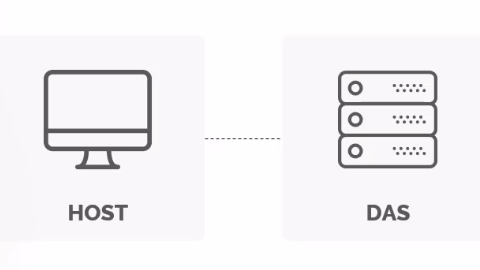
| DAS (Direct Attached Storage) | Block (direct cable) | Fast, reliable, affordable; dedicated to one host; good for small businesses |
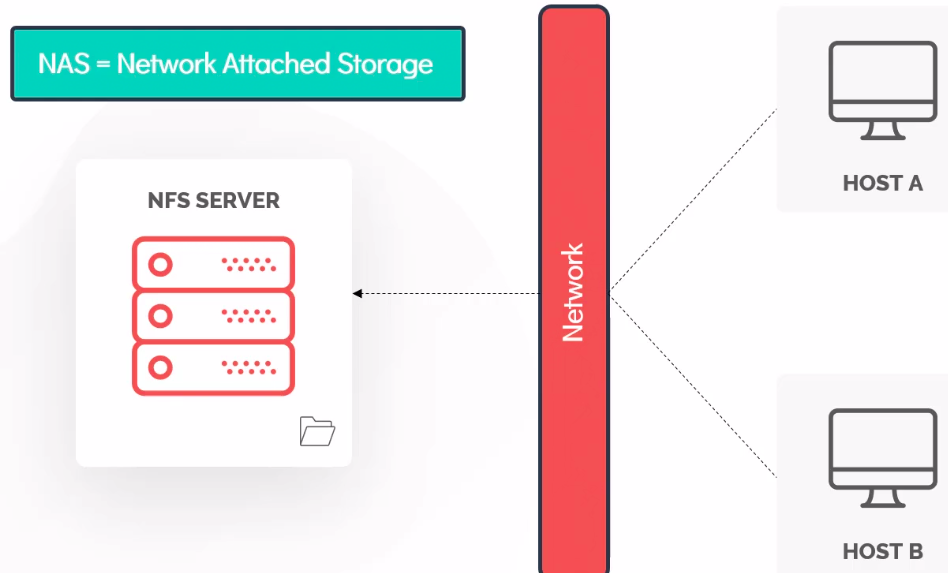
| NAS (Network Attached Storage) | NFS/CIFS over ethernet | Shared file storage; reasonably fast; not suitable for OS installs |
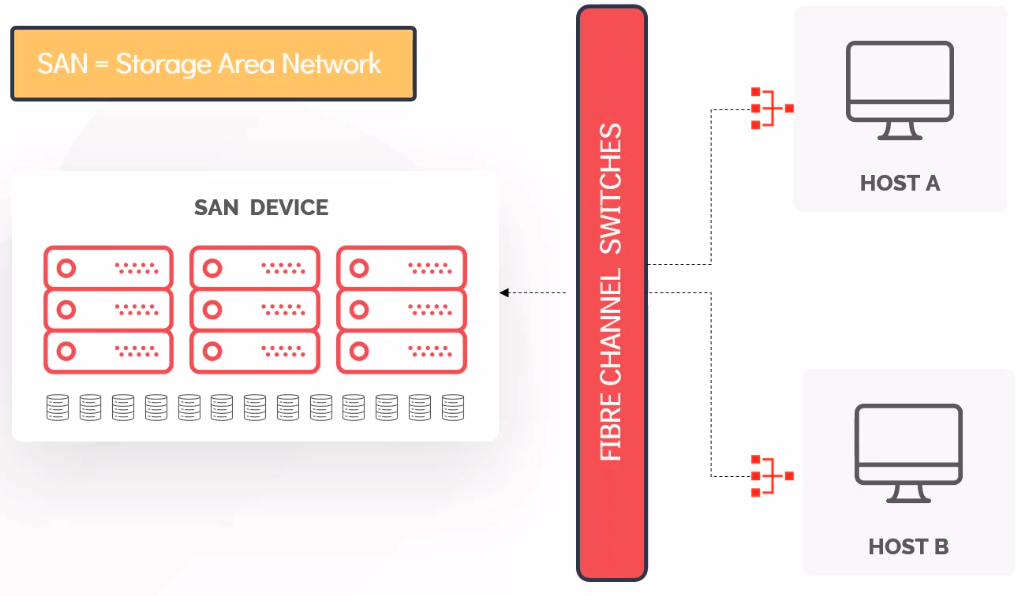
| SAN (Storage Area Network) | Fibre Channel or iSCSI | Block storage over network; fast, highly available, redundant; expensive |
Disk Partitioning
Section titled “Disk Partitioning”Why Partition?
Section titled “Why Partition?”A partition is a physically contiguous section of a disk. Separating storage into partitions provides:
- Isolation: a runaway log file on
/varwon’t fill up/and crash the OS - Security: different permissions, quotas, and mount options per partition
- Performance: put frequently-used data on faster media
- Multi-OS support: each OS on its own partition
- Easier backups: separate
/homeor/datacan be snapshotted independently - Swap isolation: keep swap separate from data
A common minimal layout:
| Partition | Purpose |
|---|---|
/boot | Kernel and bootloader files (usually 500 MB - 1 GB) |
/ (root) | OS and core directories |
swap | Virtual memory overflow; also used for hibernation |
/home | User files (separate partition for easy re-install) |
Types of Partitions
Section titled “Types of Partitions”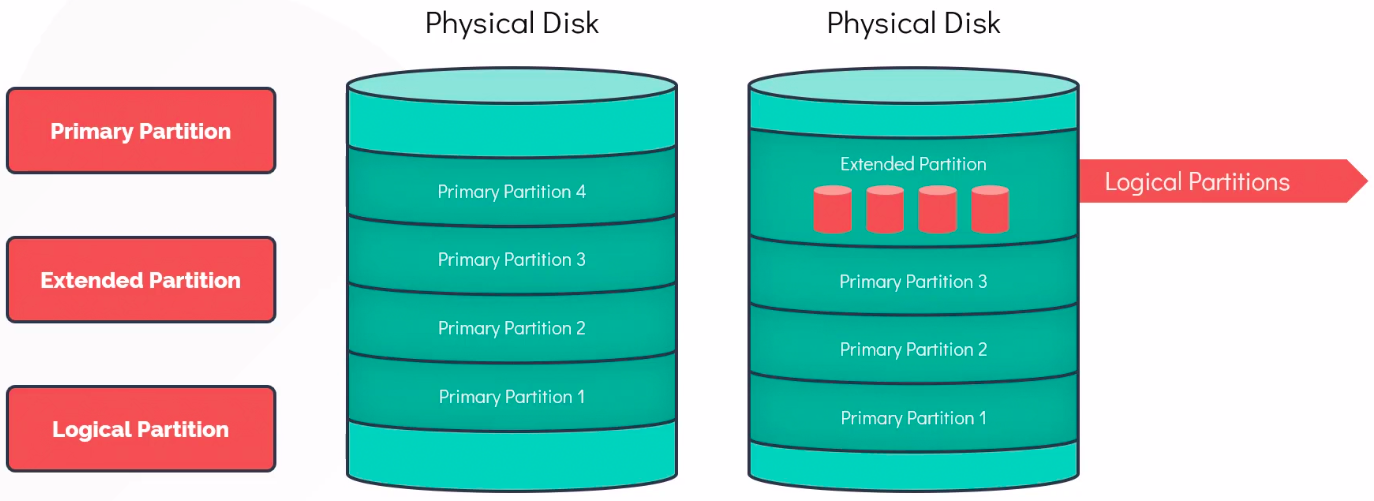
| Type | Description |
|---|---|
| Primary | Directly bootable; max 4 per disk under MBR |
| Extended | Container used to hold Logical Partitions; not directly usable as storage; overcomes MBR’s 4-partition limit |
| Logical | Lives inside an Extended partition; numbered from 5+ (e.g., /dev/sda5) |
MBR vs GPT
Section titled “MBR vs GPT”| Feature | MBR | GPT |
|---|---|---|
| Max partitions | 4 primary (+ logical inside extended) | 128 primary (default) |
| Max disk size | 2 TB | 8 ZiB (theoretical) |
| Partition size | Up to 2 TB | Up to 9.4 ZB |
| Redundancy | Single table in sector 0 | Two copies (start + end of disk) |
| Boot mode | BIOS/Legacy | UEFI (also supports legacy via Protective MBR) |
MBR Structure
Section titled “MBR Structure”The MBR occupies the first 512 bytes of a disk:
- Bytes 0-445: boot loader code
- Bytes 446-509: partition table (4 x 16-byte entries)
- Bytes 510-511: magic number
0x55AA(end-of-sector marker)
Each 16-byte partition entry contains: active bit, CHS start/end (ignored by Linux), partition type code, LBA start sector, sector count. Linux uses LBA for all addressing.
GPT Structure
Section titled “GPT Structure”GPT uses a Protective MBR in sector 0 (for backward compatibility), followed by the GPT header and partition entries. The partition table is also copied to the end of the disk, providing redundancy. If the primary header is corrupted, the backup is used to recover.
# Show partition table layout and typesudo fdisk -l /dev/sda # MBR or GPTsudo gdisk -l /dev/sda # GPT-specific detailssudo parted /dev/sda print # works with bothSwap Sizing
Section titled “Swap Sizing”| RAM | Traditional Recommendation |
|---|---|
| < 2 GB | 2x RAM |
| 2-8 GB | Equal to RAM |
| > 8 GB | At least 4 GB; consider 1x RAM if hibernation needed |
How Linux Identifies Storage
Section titled “How Linux Identifies Storage”Device Naming Convention
Section titled “Device Naming Convention”Linux exposes storage as device nodes under /dev. The naming convention:
/dev/sd[a-z][1-15] # SATA, SCSI, USB drives/dev/nvme[0-9]n[1-9] # NVMe SSDs (namespace-based)/dev/hd[a-d] # Old IDE drives (obsolete)/dev/vd[a-z] # Virtio virtual drives (VMs)/dev/mmcblk[0-9] # SD cards, eMMCExamples:
| Device | Meaning |
|---|---|
/dev/sda | First SATA/SCSI disk |
/dev/sdb | Second SATA/SCSI disk |
/dev/sdb1 | First partition on second disk |
/dev/sdc4 | Fourth partition on third disk |
/dev/nvme0n1 | First NVMe drive, first namespace |
/dev/nvme0n1p1 | First partition on above |
Block vs Character Devices
Section titled “Block vs Character Devices”| Feature | Block Device | Character Device |
|---|---|---|
| Access | Random-access, seekable | Sequential, byte-by-byte |
| Buffering | Can be cached in page cache | Immediate - no kernel buffering |
| Examples | /dev/sda, /dev/nvme0n1 | /dev/tty, /dev/urandom, /dev/null |
| Major:Minor | Identifies driver type : specific device | Same scheme |
Each device has a Major number (identifies the driver) and Minor number (identifies the specific device instance). Visible with ls -l /dev:
ls -l /dev/sda# brw-rw---- 1 root disk 8, 0 Mar 2 19:00 /dev/sda# ^ ^# major minorStorage Discovery Commands
Section titled “Storage Discovery Commands”lsblk - Block Device Tree
Section titled “lsblk - Block Device Tree”lsblk # tree view of all block devices and mount pointslsblk -f # include filesystem type, UUID, labellsblk -o NAME,SIZE,TYPE,MOUNTPOINT,FSTYPE,UUIDNAME MAJ:MIN RM SIZE RO TYPE MOUNTPOINTSsda 8:0 0 465.8G 0 disk├─sda1 8:1 0 1G 0 part /boot/efi├─sda2 8:2 0 1G 0 part /boot└─sda3 8:3 0 463.8G 0 part /homenvme0n1 259:0 0 476.9G 0 disk└─nvme0n1p1 259:1 0 476.9G 0 part /zram0 251:0 0 8G 0 disk [SWAP]blkid - Block Device Attributes
Section titled “blkid - Block Device Attributes”blkid identifies the contents of block devices (filesystem type, UUID, label) by reading metadata fingerprints from the device.
sudo blkid # show all devicessudo blkid /dev/sda1 # specific devicesudo blkid -U "uuid-here" # find device by UUIDsudo blkid -L "mylabel" # find device by labelsudo blkid -t TYPE=ext4 # find all ext4 devices# GPT system examplesudo blkid /dev/sda1# /dev/sda1: UUID="53ea9807-fd58-4433-9460-d03ec36f73a3" TYPE="ext4"# PARTUUID="0c79e35b-e58b-4ce3-bd34-45651b01cf43"Key attributes:
- UUID: Identifies the filesystem on the partition. Changes when you reformat.
- PARTUUID: Identifies the partition itself (GPT only). Stays same even after reformat.
- LABEL: Human-readable name assigned at format time.
fdisk - Partition Management (MBR/GPT)
Section titled “fdisk - Partition Management (MBR/GPT)”sudo fdisk -l # list all disks and partitionssudo fdisk -l /dev/sda # specific disksudo fdisk /dev/sdb # interactive: create/delete/type partitionsDisk Space Overview
Section titled “Disk Space Overview”df -h # disk usage of mounted filesystems (human-readable)df -Th # include filesystem typedf -i # show inode usage instead of block usagedu -sh /var/log # size of a directorydu -sh /* 2>/dev/null | sort -h # find largest top-level directories