Virtualization and Containerization
What is Virtualization?
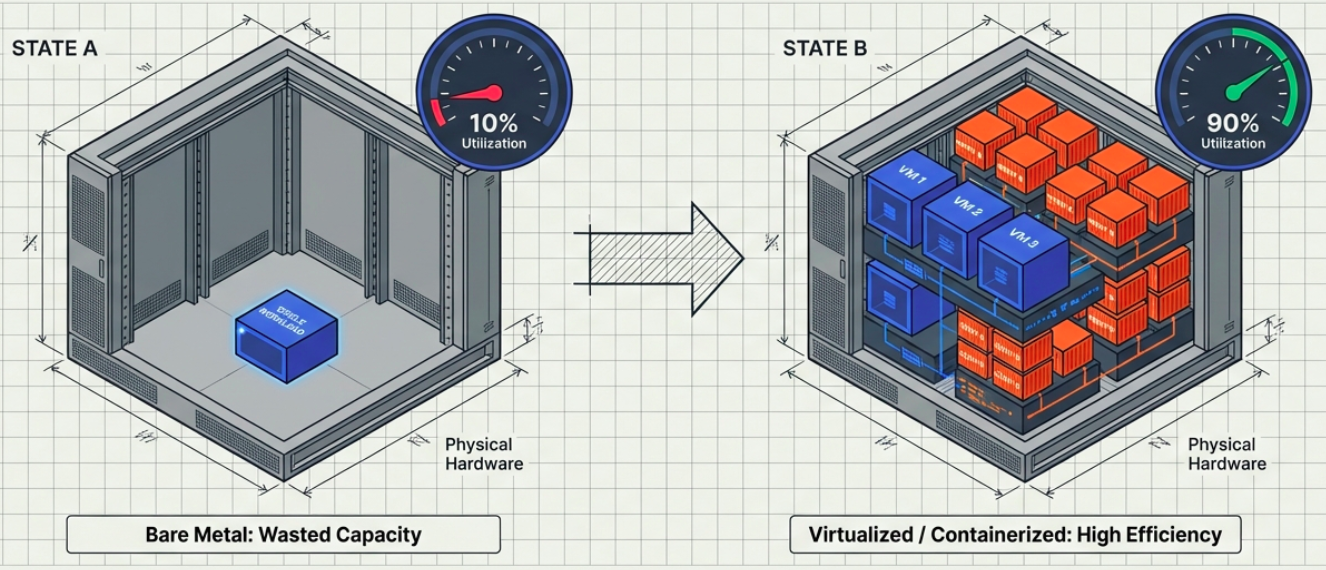
Section titled “What is Virtualization?”- Virtualization uses software to create virtual representations of computer resources - hardware, storage, and networking.
- It divides a single physical machine into multiple isolated Virtual Machines (VMs), each running its own complete guest OS, managed by a software layer called a hypervisor.
→ For a deep dive: Hypervisor · Virtual Machine
What is Containerization?
Section titled “What is Containerization?”- Containerization is a lightweight form of OS-level virtualization. It encapsulates an application and all its dependencies into a single isolated unit called a container.
- Unlike VMs, containers do not run a full guest OS - they share the host OS kernel, making them significantly lighter and faster to start.
- It evolved from Linux cgroups and LXC. Docker, introduced in 2013, brought it to the mainstream.
→ For a deep dive: Containers · The Mechanics of Containerization
Virtualization vs. Containerization
Section titled “Virtualization vs. Containerization”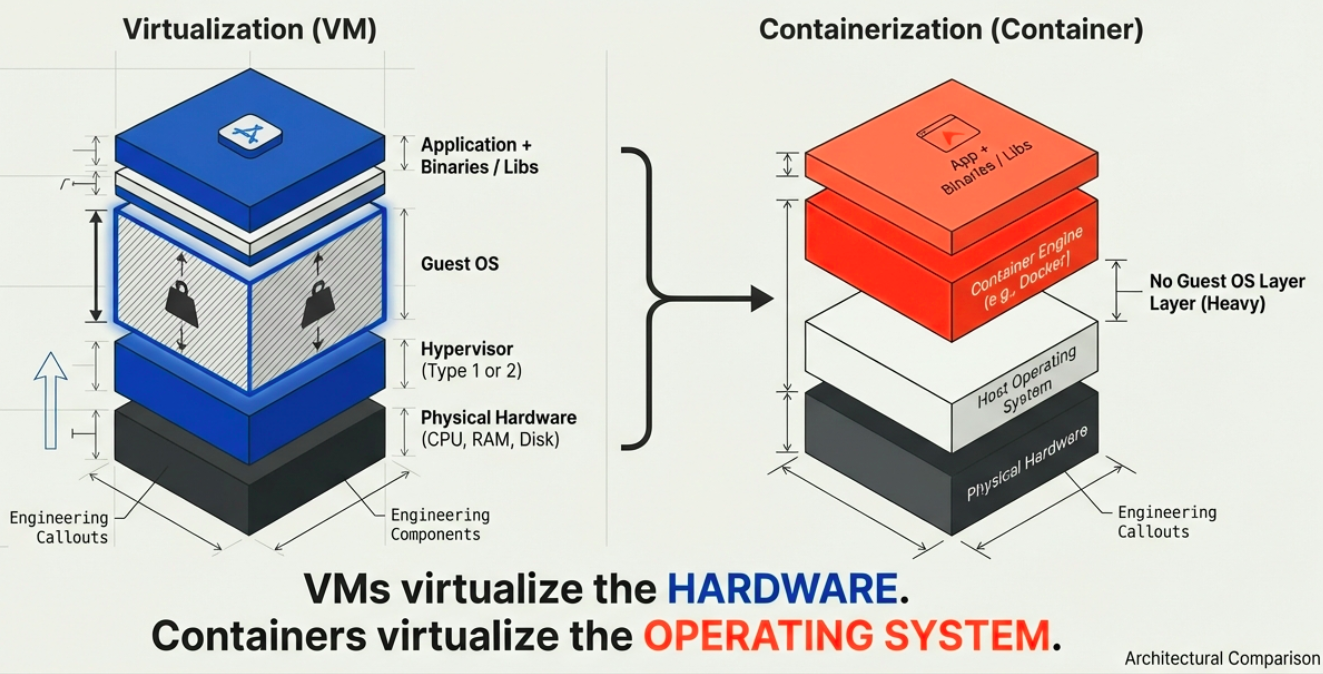
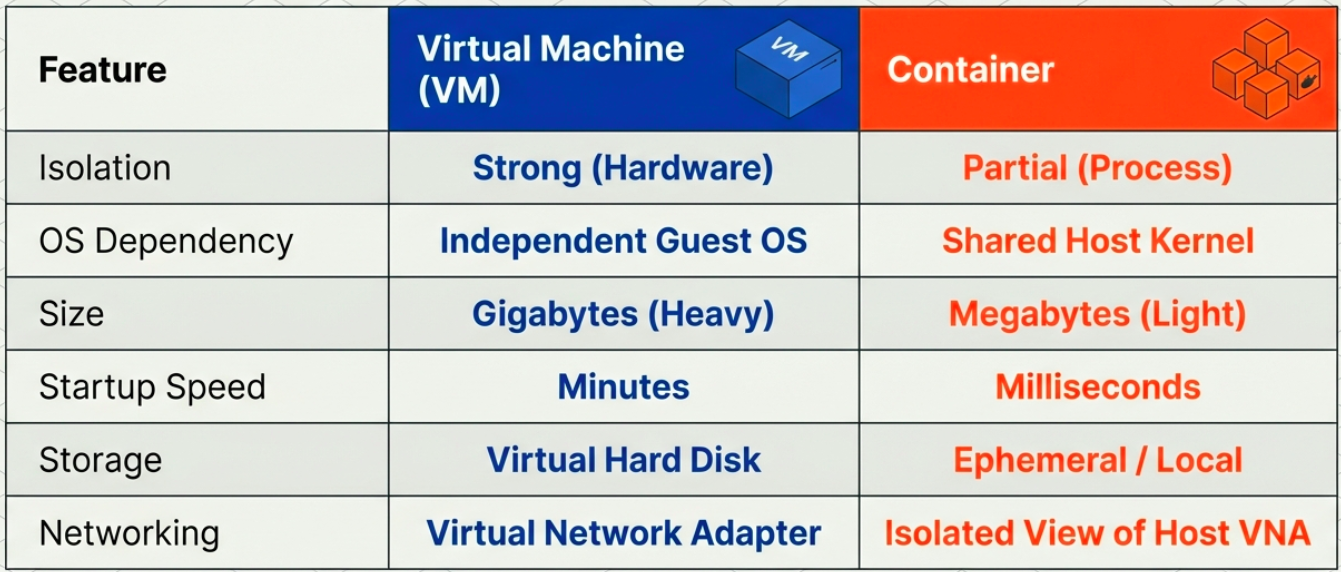
| Feature | Virtualization (VMs) | Containerization (Containers) |
|---|---|---|
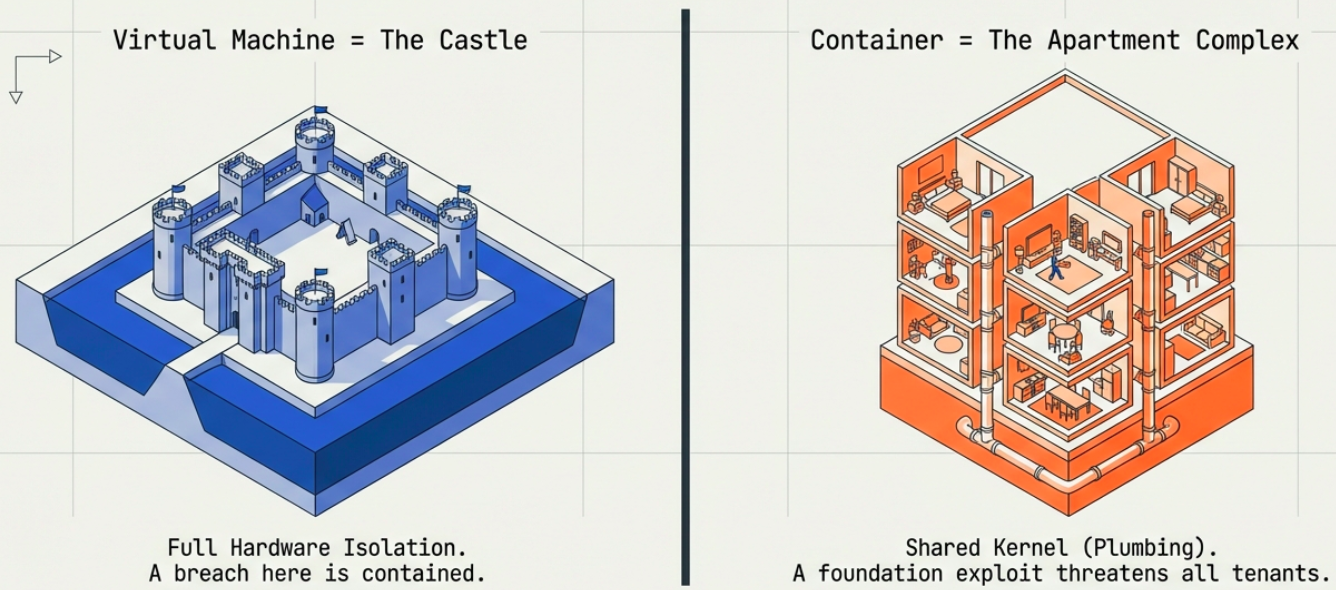
| Isolation Level | High: Fully isolates the host OS and VMs from one another. | Moderate: Lightweight isolation; weaker security boundary since the OS kernel is shared. |
| Operating System | Each VM runs its own independent, full guest OS. | Runs only the user-mode portion of the OS; shares the host OS kernel. |
| Resource Usage | High: Requires significant CPU, RAM, and storage. | Low: Lightweight, optimized for minimal resource consumption. |
| Startup Time | Slow: Takes minutes to boot a full OS. | Fast: Starts almost instantly. |
| Guest Compatibility | Can run almost any OS on the host. | Must run the same/similar OS version as the host. |
| Deployment & Orchestration | Deployed individually via a Hypervisor (e.g., VMware, Hyper-V). | Deployed via engines like Docker; orchestrated at scale using Kubernetes. |
| Load Balancing | Moves running VMs to other servers in a failover cluster. | Orchestrators manage load by starting/stopping containers on cluster nodes. |
| Networking | Uses complete virtual network adapters (VNAs). | Uses an isolated view of a VNA; shares the host’s firewall. |
Best Scenarios and Use Cases
Section titled “Best Scenarios and Use Cases”When to Use Virtualization
Section titled “When to Use Virtualization”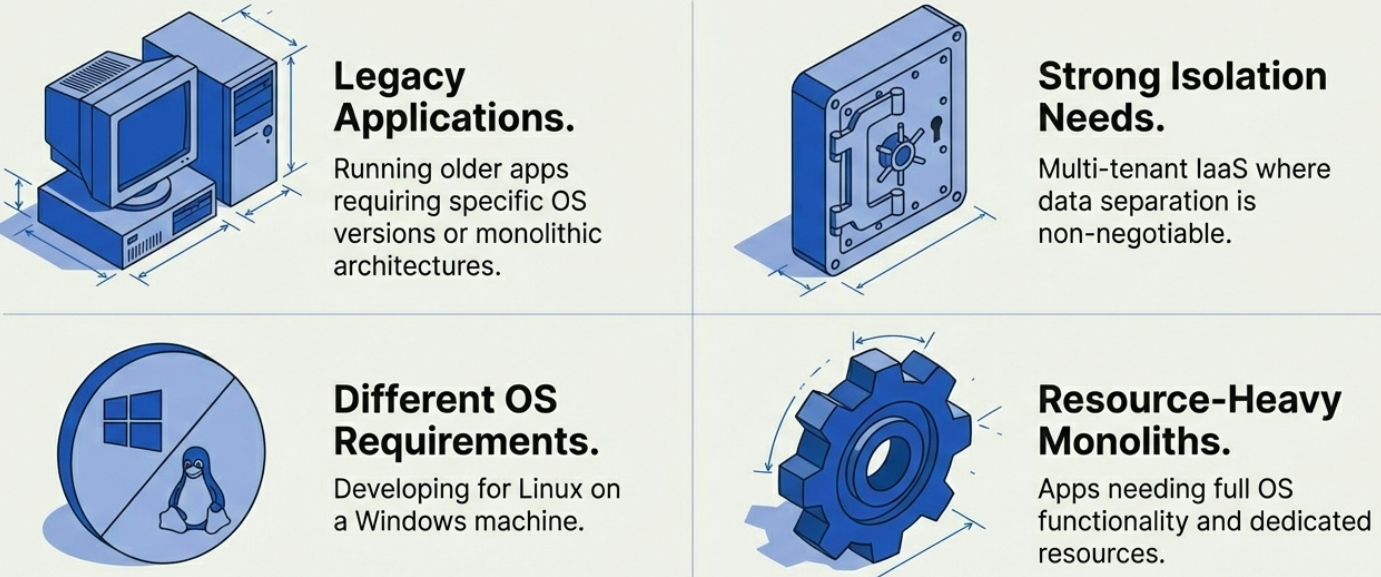
- Legacy Applications: For older applications requiring outdated or specific operating systems.
- High-Security Environments: Where strict tenant isolation is required (e.g., multi-client data centers).
- Monolithic Workloads: Large applications requiring full OS functionality and dedicated hardware resources.
- Infrastructure as a Service (IaaS): The foundational technology behind cloud provider hardware provisioning.
When to Use Containerization
Section titled “When to Use Containerization”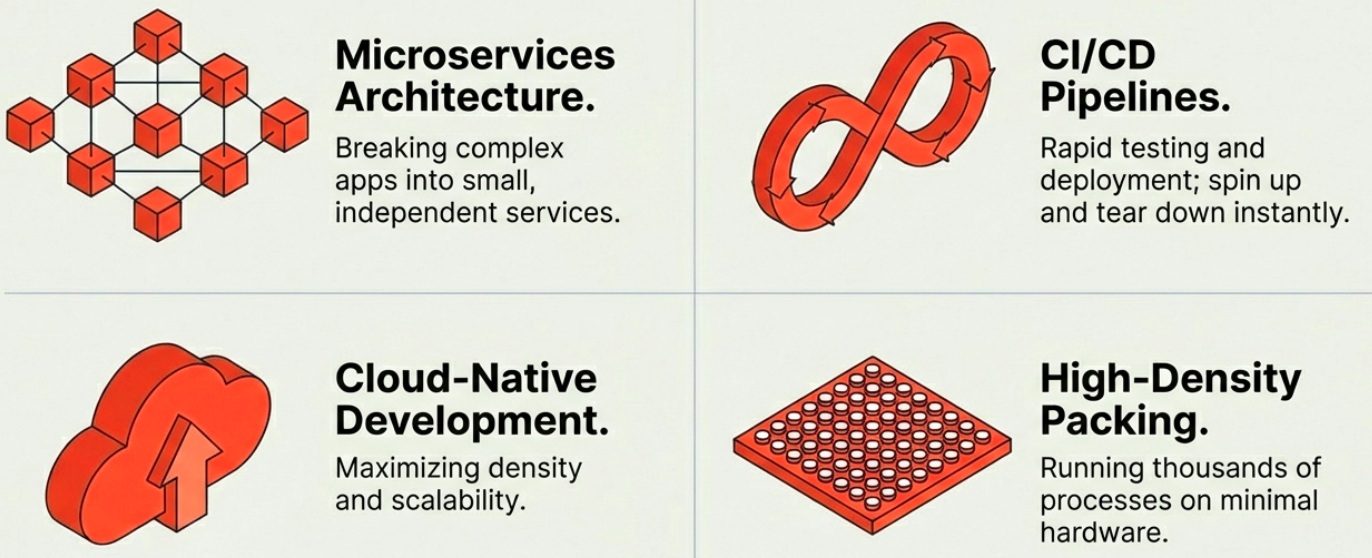
- Microservices Architectures: The standard approach for independent, loosely coupled services.
- CI/CD Pipelines: Consistent, repeatable environments for automated testing and rapid deployment.
- Cloud-Native Applications: Efficient scaling across hybrid or multi-cloud environments.
- Platform as a Service (PaaS): Hosting multiple developer environments efficiently on shared infrastructure.
Using Both Together
Section titled “Using Both Together”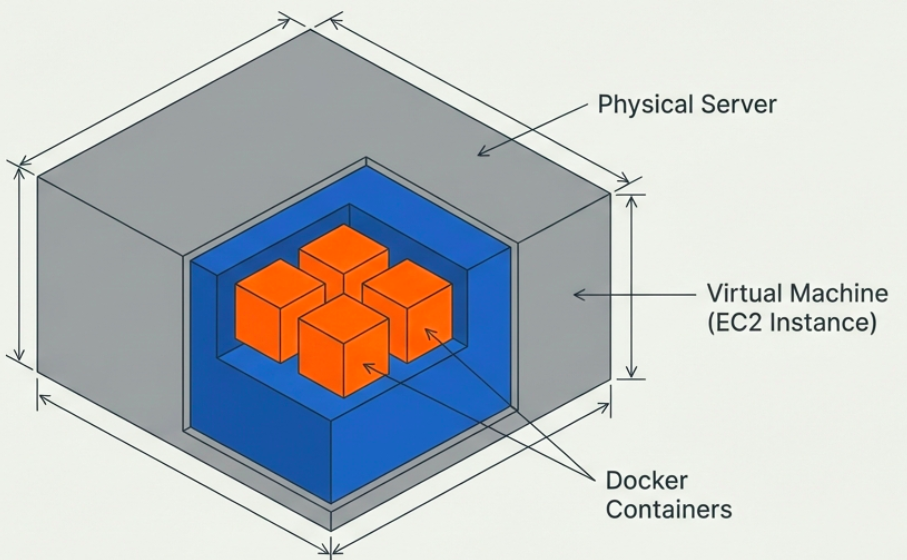
Virtualization and containerization are not mutually exclusive. Modern infrastructure typically runs containers inside VMs - containers on top of VMs (nodes) on top of physical hardware. This combines the hardware isolation of VMs with the deployment agility of containers.
| Benefit | How the hybrid delivers it |
|---|---|
| Security | VMs isolate tenants at the hardware level; containers isolate applications at the OS level |
| Efficiency | Containers reduce per-app overhead on top of already-consolidated VM infrastructure |
| Flexibility | VMs can run different OS families; containers provide fast, consistent deployment on top |
| Scalability | Orchestrators (Kubernetes) manage containers across the VM fleet automatically |
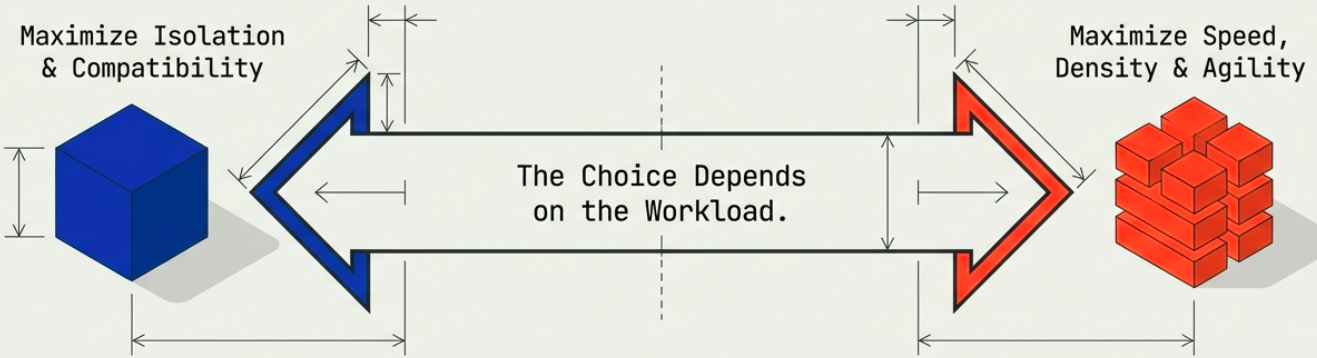
The key challenge of this hybrid: orchestration complexity. Managing containers across a fleet of VMs requires tools like Kubernetes. See Evolution of Virtualization for how this problem emerged and what solved it.
Decision Matrix
Section titled “Decision Matrix”