
Stack Configuration
The Reusable Stack pattern lets you create multiple instances of the same infrastructure from one codebase - but instances inevitably differ. A development cluster runs two worker nodes; production runs twenty.
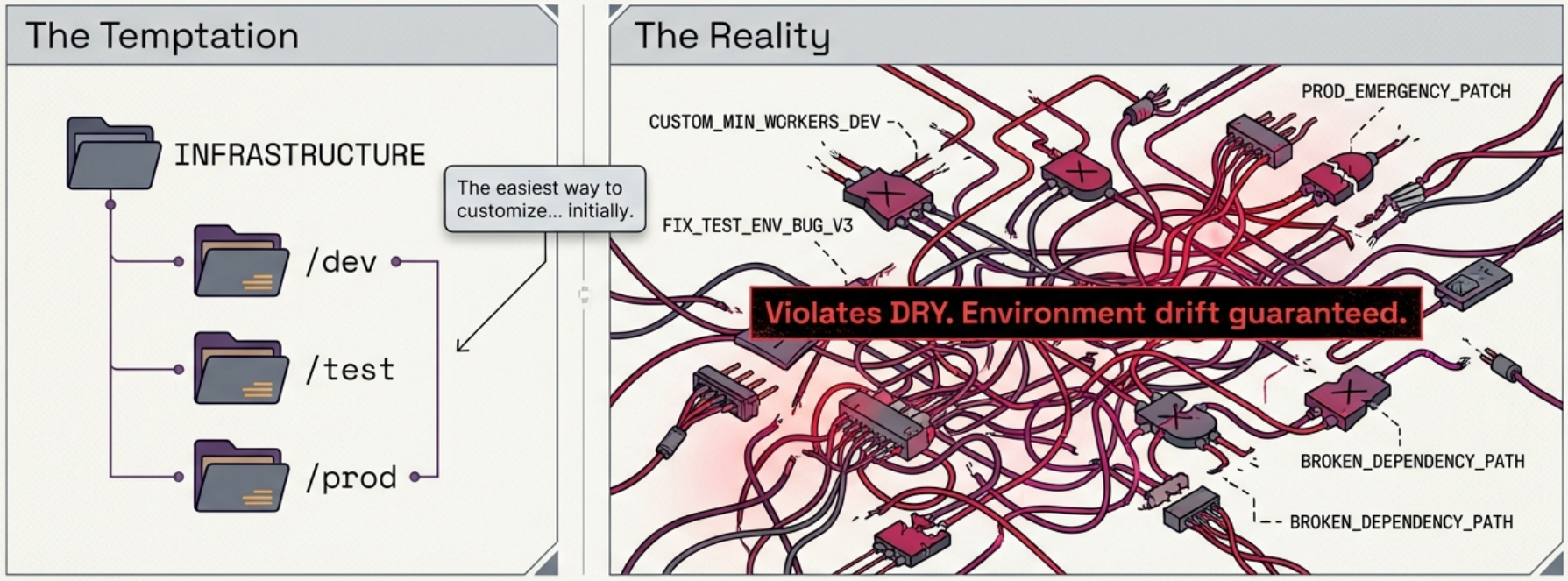
Simply copying or branching the code for each environment is the Snowflakes as Code antipattern: it creates a sprawling, unmaintainable mess. Proper stack configuration keeps instances consistent while accommodating necessary variation.
Stack Parameter Principles
Section titled “Stack Parameter Principles”Before choosing a configuration pattern, understand what stack parameters are actually for:
- Unique identifiers - even when instances barely differ in behaviour, they need distinct resource names. Hardcoding
id: appserverfails the moment you try to deploy a second instance. Pass anenvironmentparameter and use it everywhere:id: appserver-${environment},subnet_id: appserver-subnet-${environment}. - Behavioural variation - values like
min_workersandmax_workerslet the same code produce a small-footprint dev cluster and a scaled-out production cluster without any conditional logic.
YAGNI - Keep Parameters Simple
Section titled “YAGNI - Keep Parameters Simple”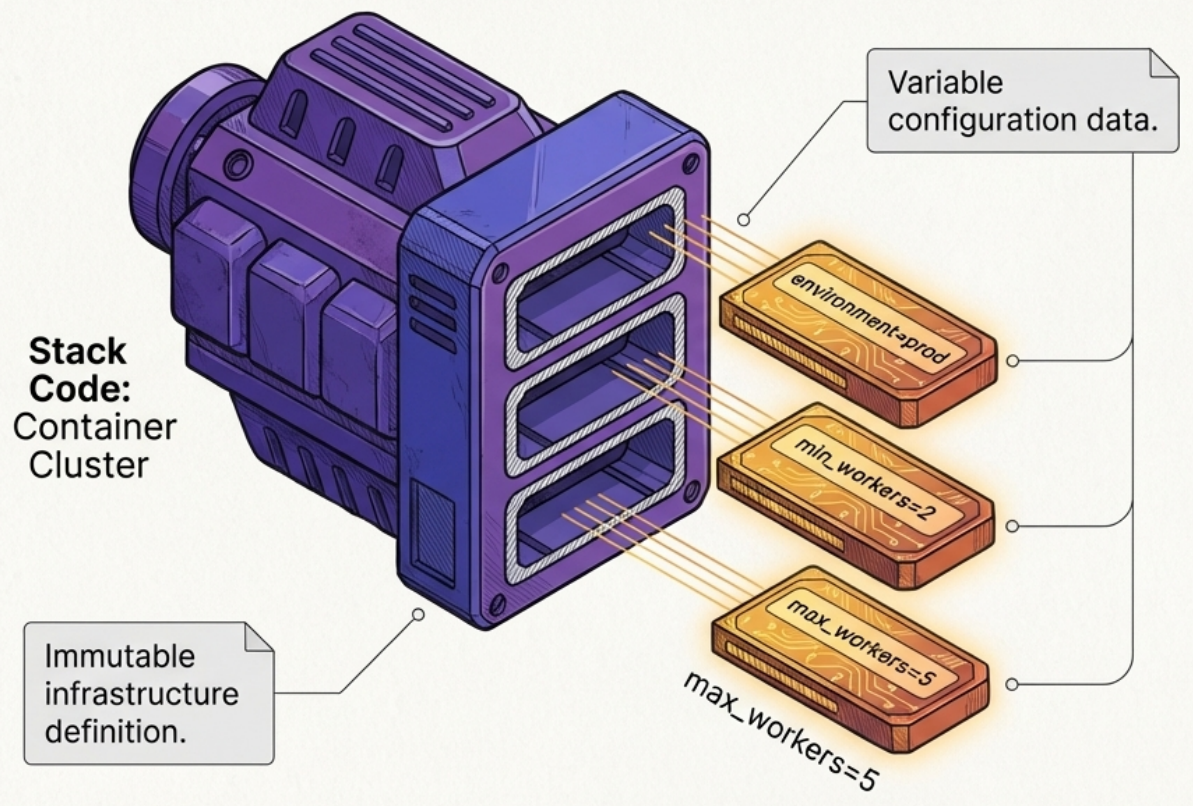
Over-parameterization is as dangerous as no parameterization. Follow three rules:
- Add parameters only when there is an immediate need - not because you might need them
- Prefer primitive types - strings, numbers, lists, and key-value maps; avoid complex objects unless unavoidable
- Never use a parameter to toggle major structural differences - a boolean that conditionally provisions an entire service means your stack is doing too much. Refactor into separate stack projects instead.
Stack Parameter Patterns
Section titled “Stack Parameter Patterns”There are eight patterns for passing configuration values to stack instances. Each involves a trade-off between simplicity, safety, and flexibility.
1 · Configuration in Code (antipattern)
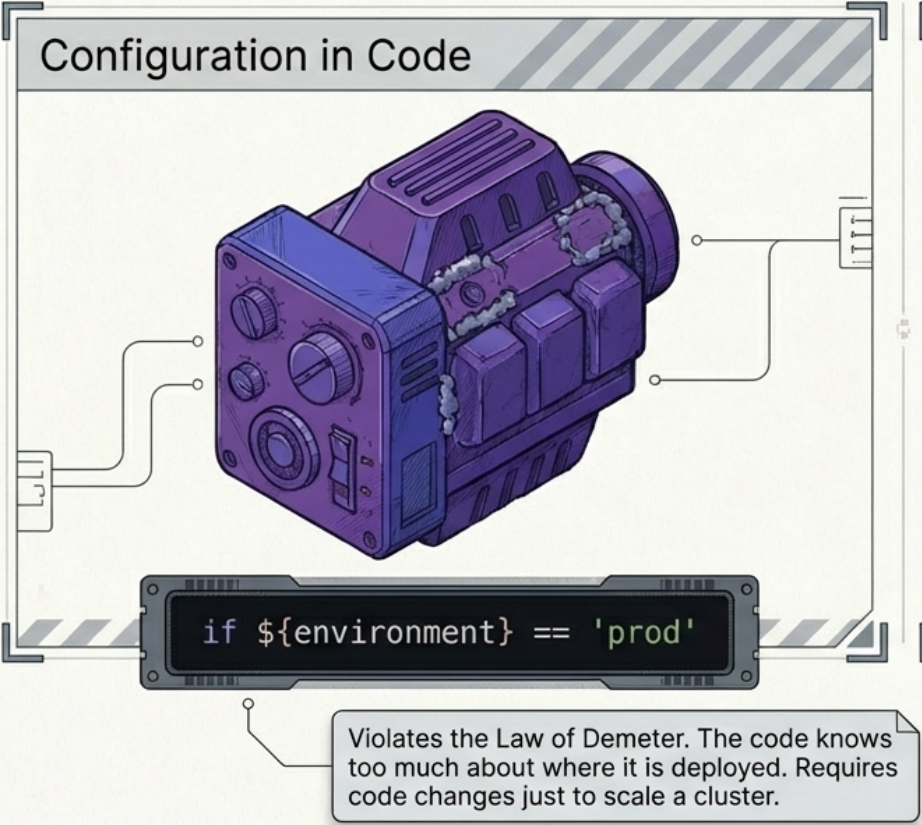
Section titled “1 · Configuration in Code (antipattern)”Instance-specific values are embedded directly in the stack code using conditionals keyed on the environment name.
# Don't do thiscluster_size = var.environment == "prod" ? "large" : "small"Why it fails: The stack code now knows where it will be deployed - a violation of the principle of least knowledge. Every configuration change requires modifying and retesting shared code, slowing delivery. Environment names are also not testable units.
Better alternative: Base variation on specific outcomes, not environment names:
# Testable without tying to a specific environment namecluster_size = var.cluster_size # caller passes "S", "M", or "L"2 · Manual Stack Parameters
Section titled “2 · Manual Stack Parameters”Values are typed directly on the command line at run time:
terraform apply -var 'min_workers=2' -var 'environment=prod'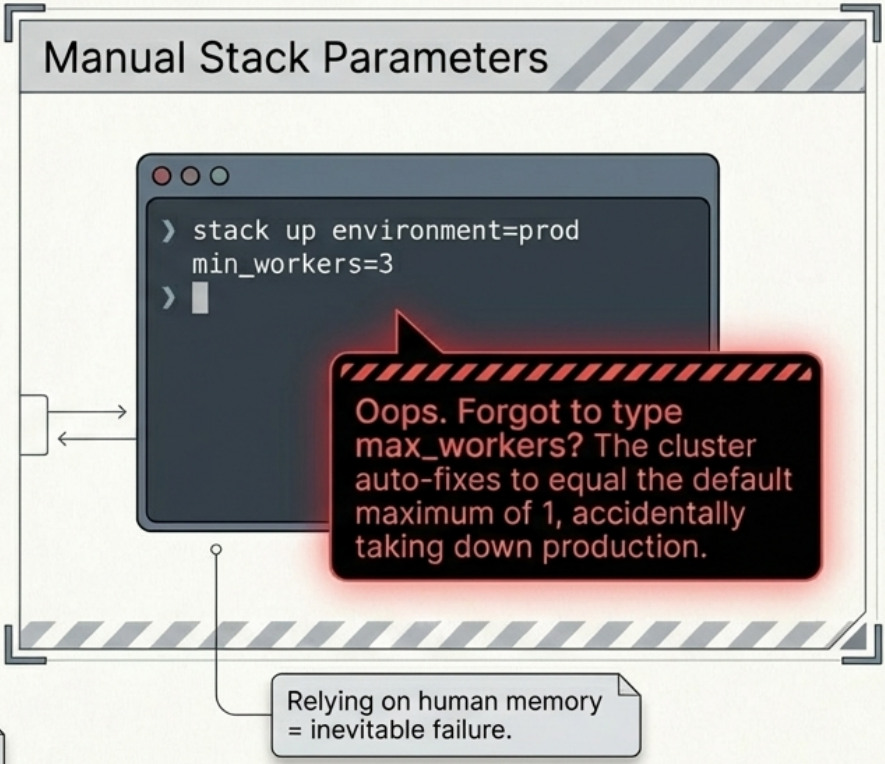
Best for: Learning and experimenting.
Avoid in production: Highly prone to human error. A mistyped value or forgotten parameter can silently break critical infrastructure.
3 · Stack Environment Variables
Section titled “3 · Stack Environment Variables”The infrastructure tool reads values from the host environment at execution time.
# Terraform conventionexport TF_VAR_min_workers=2terraform applyBest for: Developer workstations, where an engineer presets their personal environment once and runs stack commands repeatedly.
Avoid: Coupling stack code to the execution environment. Secrets placed in environment variables are visible to all processes on the same machine.
4 · Scripted Parameters
Section titled “4 · Scripted Parameters”Parameter values for each instance are hardcoded into provisioning scripts. Implemented as a single script with conditional logic, or as per-environment scripts (dev.sh, prod.sh).
terraform apply \ -var 'environment=dev' \ -var 'min_workers=1' \ -var 'max_workers=2'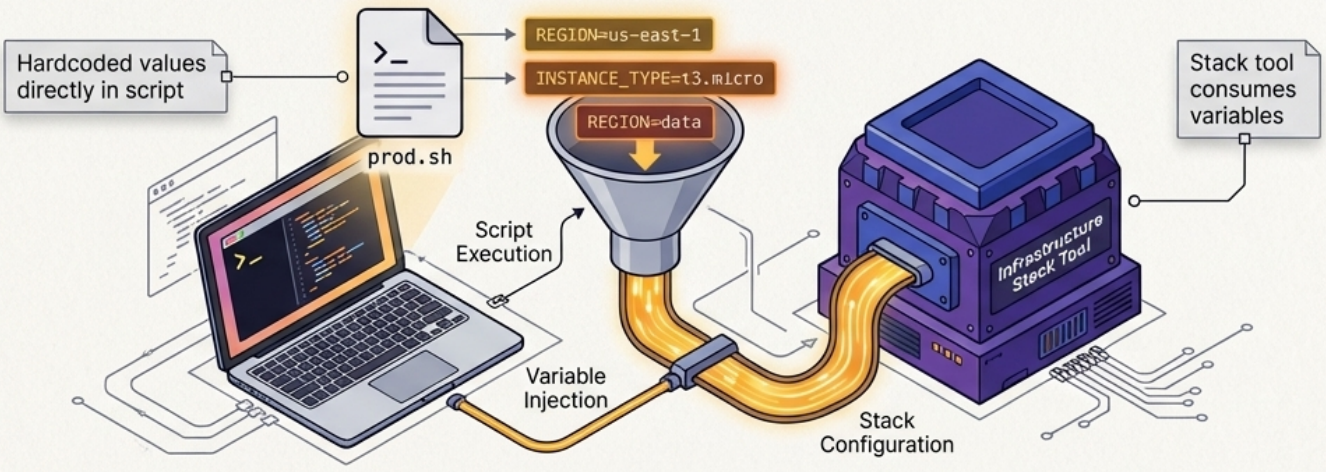
Pros: Version-controlled, prevents manual typing errors, easy to diff.
Cons: Scripts grow complex over time. Per-environment scripts tempt engineers to add custom logic, eroding consistency.
5 · Stack Configuration Files
Section titled “5 · Stack Configuration Files”Dedicated property files per environment, stored in version control alongside the stack code.
stack/├── main.tf├── dev.tfvars├── staging.tfvars└── prod.tfvarsenvironment = "prod"min_workers = 5max_workers = 20Applied with:
terraform apply -var-file="prod.tfvars"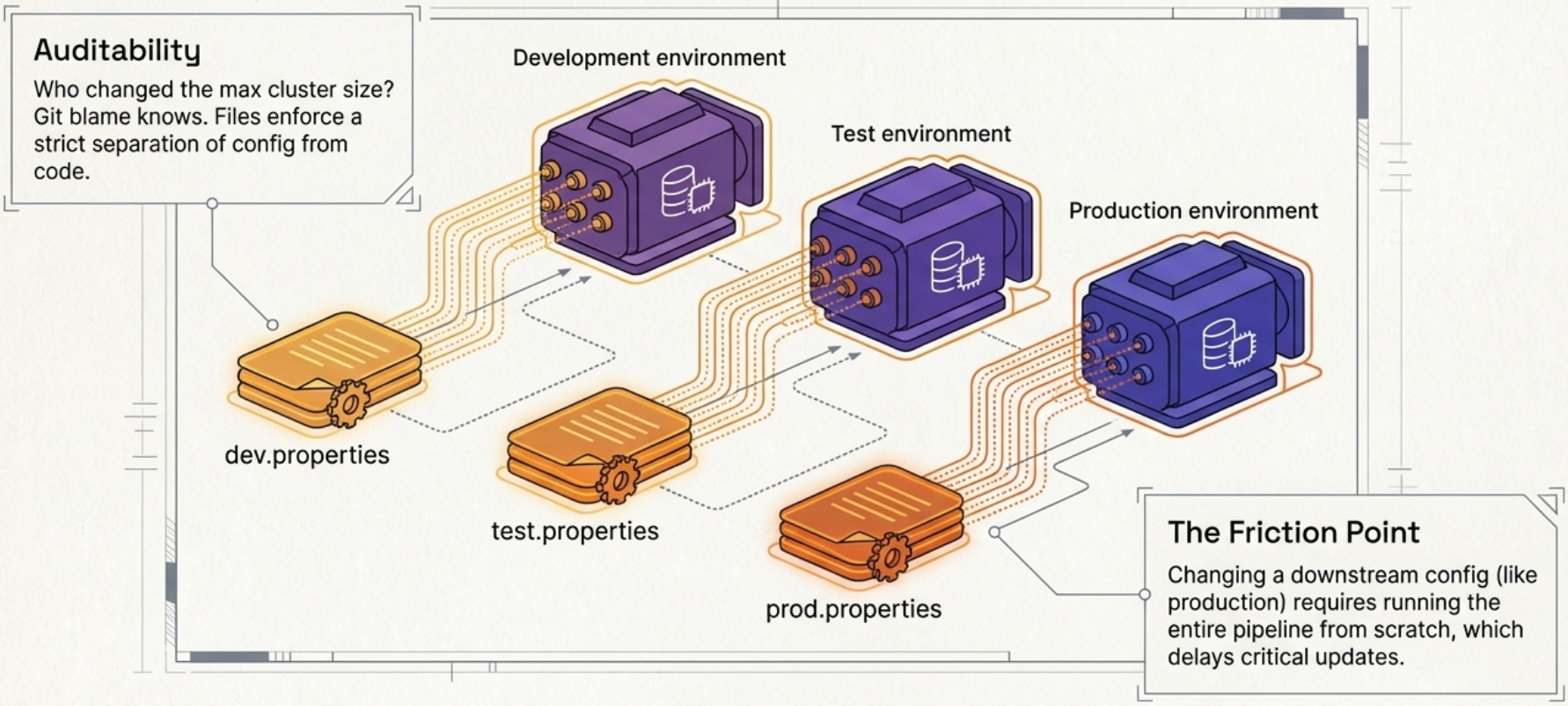
Pros: Clear separation of configuration from code. Configuration cannot contain conditionals, enforcing consistency. Full audit history of who changed what.
Cons: Generating new environments requires creating and committing a new file. Pipeline changes targeting only production must still traverse the full pipeline. Secrets cannot live here - they need a separate mechanism.
Terraform Variable File Variants
Section titled “Terraform Variable File Variants”Terraform supports several file formats and loading conventions:
| Format | Extension | Auto-loaded? | Notes |
|---|---|---|---|
| HCL | .tfvars | Only terraform.tfvars | Supports comments, standard key = value |
| HCL | .auto.tfvars | ✅ Yes (lexical order) | Good for per-environment automation |
| JSON | .tfvars.json | Only terraform.tfvars.json | Generated by scripts; no comments |
| JSON | .auto.tfvars.json | ✅ Yes (lexical order) | Machine-generated configs |
Use -var-file=PATH to load any file explicitly. If the same variable is set multiple times, Terraform resolves it using this precedence (highest wins):
-varand-var-fileCLI flags (last flag evaluated wins)*.auto.tfvars/*.auto.tfvars.json(alphabetical order)terraform.tfvars.jsonterraform.tfvarsTF_VAR_*environment variables- Interactive prompt (only if
-input=falseis not set)
6 · Deployment Wrapper Stack
Section titled “6 · Deployment Wrapper Stack”A separate infrastructure project exists for each deployed instance. Each wrapper imports shared code as a versioned library and contributes only the configuration for its environment. Terragrunt is the most common tool for this pattern.
infra/├── modules/│ └── cluster/ # shared library├── dev/│ └── terragrunt.hcl # dev wrapper - sets vars, pins library version├── staging/│ └── terragrunt.hcl└── prod/ └── terragrunt.hcl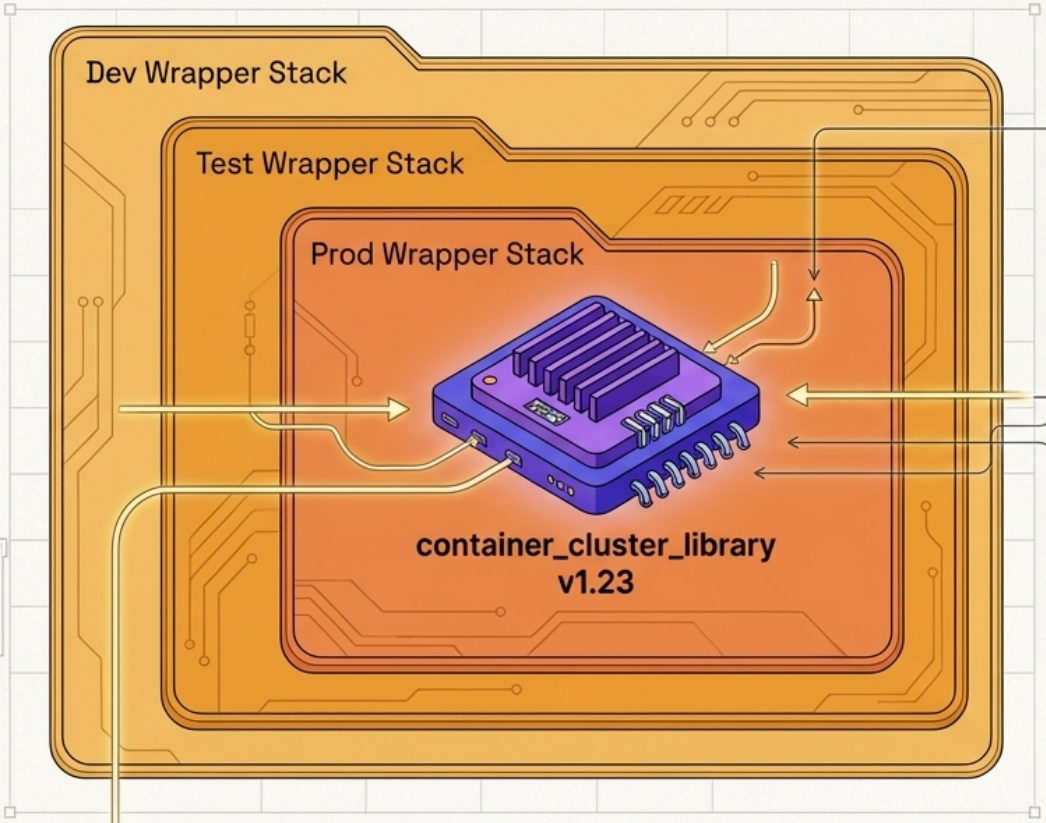
Pros: Native library versioning lets different environments pin to different library versions. Clean dependency management.
Cons: Every wrapper project is a temptation. Engineers start adding instance-specific logic, and wrappers slowly become snowflakes. Enforce a strict “configuration only, no logic” rule in wrappers.
7 · Pipeline Stack Parameters
Section titled “7 · Pipeline Stack Parameters”Parameter values are defined inside the delivery pipeline’s stage configuration and injected at run time.
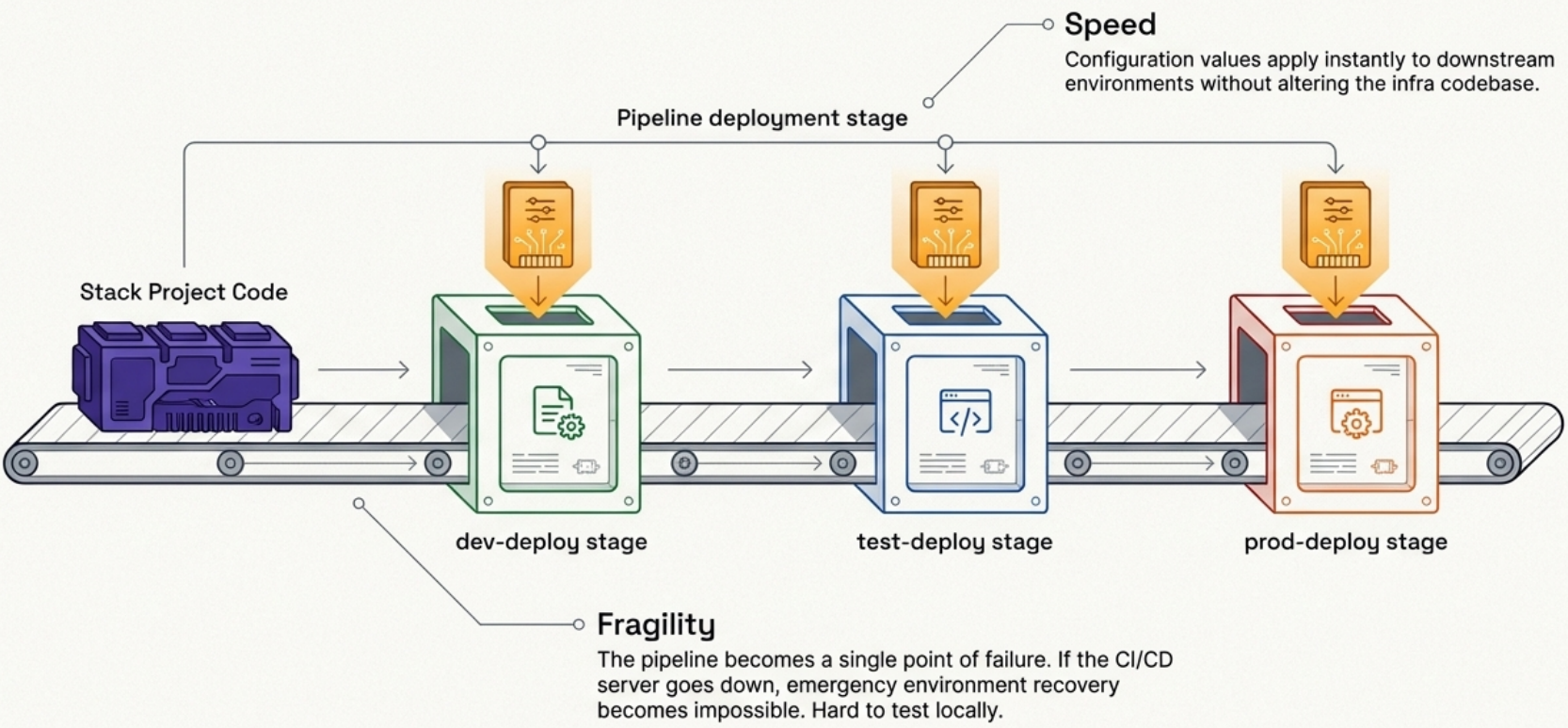
Pros: Keeps configuration decoupled from the infrastructure code. Downstream environments can be updated without re-running the full pipeline.
Cons: Your infrastructure is now coupled to your pipeline tool. If the pipeline is unavailable during an incident, you may not be able to reprovision or recover your infrastructure at all. It also makes it impossible for engineers to run the stack outside of the pipeline during testing.
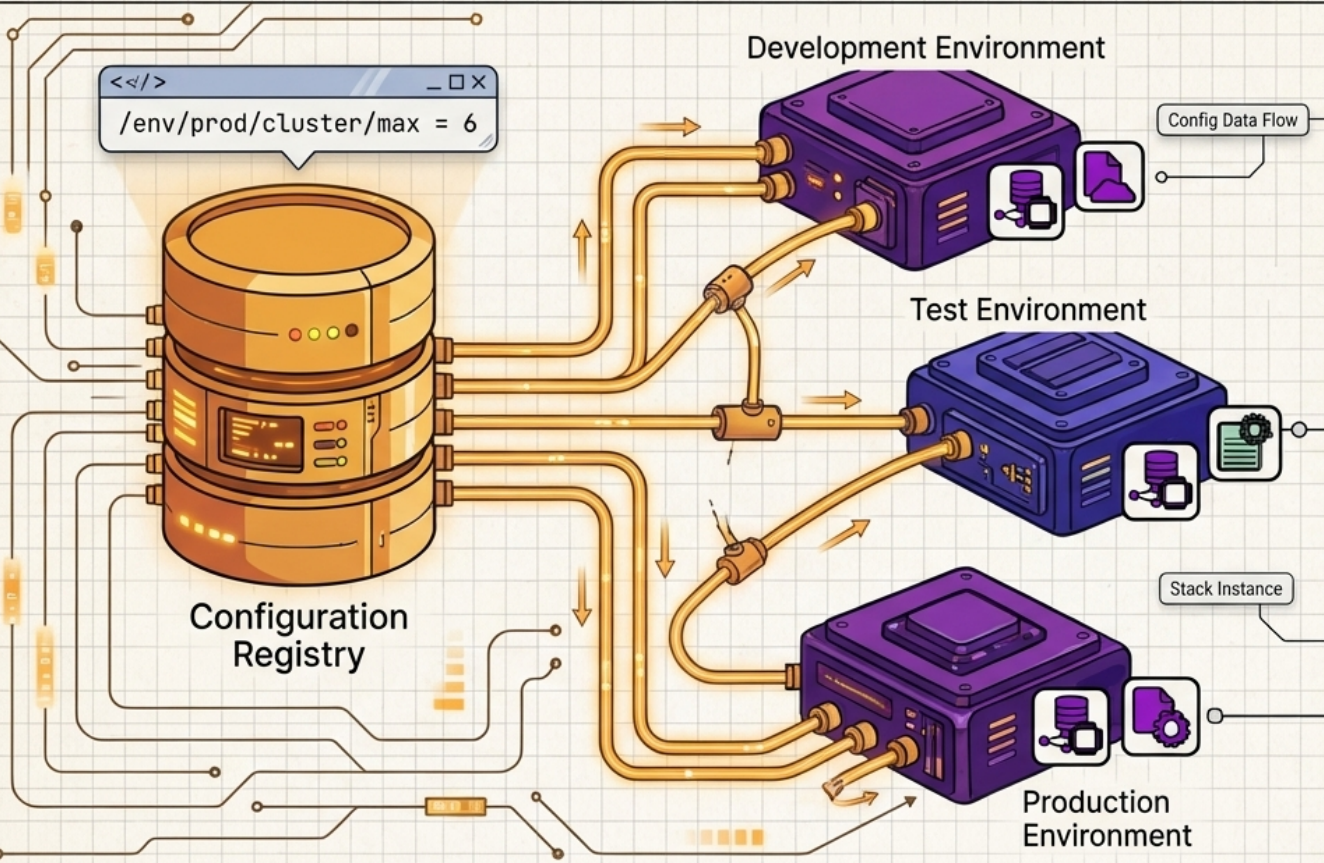
8 · Stack Parameter Registry
Section titled “8 · Stack Parameter Registry”Parameter values live in a central key-value store. The stack tool or a wrapper script fetches values at apply time.
Pros: Fully decouples configuration from implementation. Acts as a tool-agnostic CMDB - useful for auditing, dashboards, and cross-stack integration data.
Cons: Introduces a hard external dependency. If the registry is unavailable, deployments and emergency reprovisioning are blocked.
Configuration Pattern Selection Matrix
Section titled “Configuration Pattern Selection Matrix”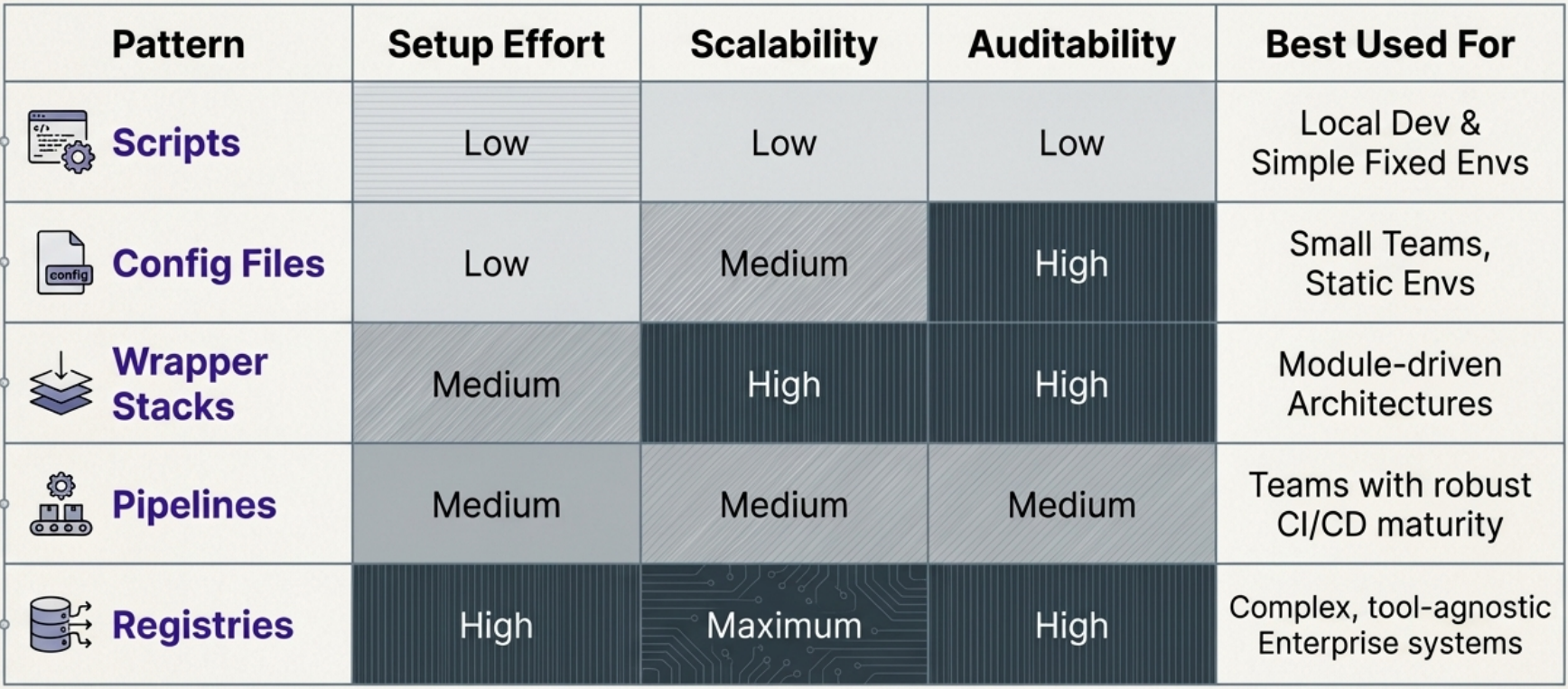
Registry Implementation Options
Section titled “Registry Implementation Options”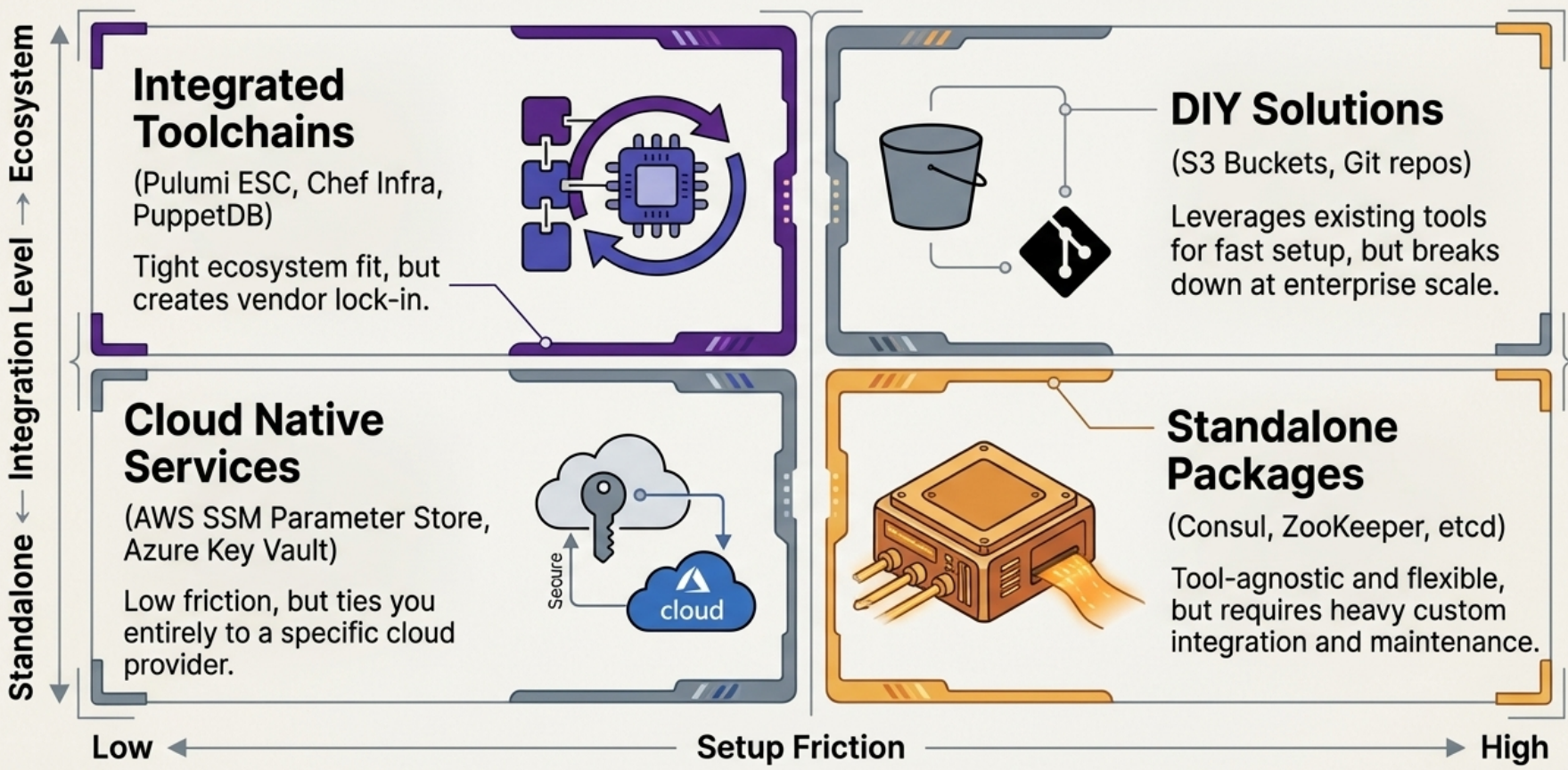
| Approach | Examples | Trade-off |
|---|---|---|
| Built-in to toolchain | Pulumi ESC, Chef Infra Server, PuppetDB | Deep integration; vendor lock-in |
| Standalone key-value store | etcd, Consul, Apache ZooKeeper | Vendor-neutral; you maintain another service |
| Cloud platform service | AWS SSM Parameter Store, Azure App Config | Managed, no servers to run; cloud-specific |
| Custom lightweight build | S3 bucket + JSON files, relational DB, internal package repo | Quick to start; maintenance grows with complexity |
Single vs Multiple Registries
Section titled “Single vs Multiple Registries”A single centralised registry sounds appealing but rarely works in practice. Specialised tools (monitoring, user directories, licence management) come with their own optimised registries. Forcing them all into one store creates constant integration maintenance.
A more practical approach: let each system be the source of truth for its own data, and define explicitly which system owns which configuration. For event-driven architectures, broadcast configuration changes as events to a message queue - interested services consume updates rather than polling a central store.
Handling Secrets
Section titled “Handling Secrets”Secrets - API keys, database passwords, certificates - require their own treatment. They must never appear in source control, even in private repositories. Exposed credentials can result in runaway hosting bills, data exfiltration, or infrastructure held for ransom.
Generating Secrets
Section titled “Generating Secrets”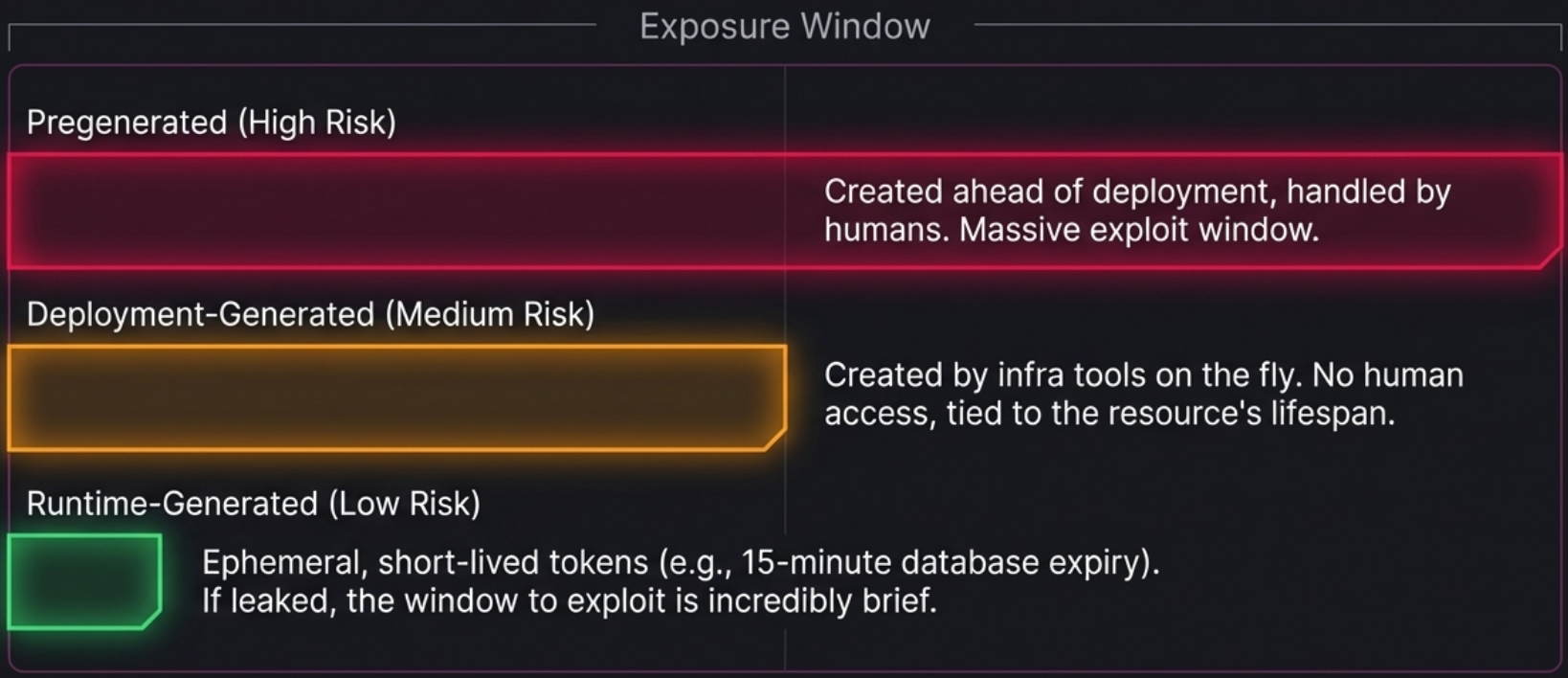
| Lifecycle stage | How | Risk profile |
|---|---|---|
| Pregenerated | Created manually or by a tool before deployment | Longer-lived; more opportunity for accidental exposure |
| Deployment-generated | Created automatically during terraform apply, immediately stored | Never touches human hands; lower exposure risk |
| Runtime-generated | Short-lived tokens issued on demand (e.g., DB credentials expiring in 15 min) | Smallest window of exploitation; requires secure token-request mechanism |
Prefer deployment-generated or runtime-generated secrets wherever the platform supports them.
Storing and Providing Secrets
Section titled “Storing and Providing Secrets”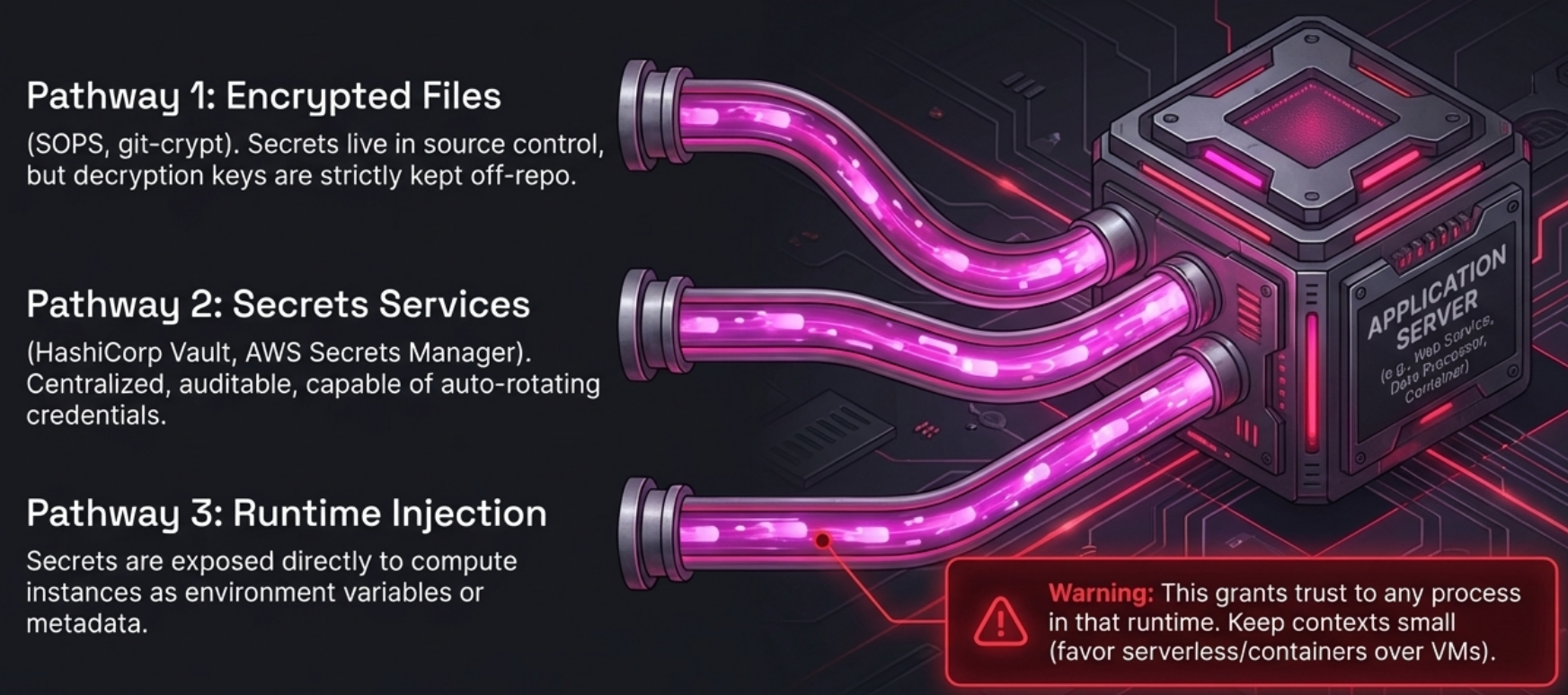
Encrypted files in version control
Tools like SOPS, git-crypt, agebox, BlackBox, or transcrypt encrypt secrets before committing them. The encrypted ciphertext is safe to store; the decryption key must be kept entirely out of the repository.
Secrets storage services
Centralised platforms that manage, rotate, revoke, and log access to secrets:
| Category | Examples |
|---|---|
| Cloud-native | AWS Secrets Manager, Azure Key Vault, Google Cloud Secret Manager |
| Cross-platform | HashiCorp Vault, CyberArk Conjur |
| IaC-focused | Pulumi ESC, Doppler |
Runtime injection
The platform injects secrets directly into the compute environment as environment variables, metadata, or mounted volumes. Containers and serverless functions are preferable to long-lived VMs here - the smaller and shorter-lived the runtime context, the smaller the blast radius if it is compromised.
Secrets in Terraform
Section titled “Secrets in Terraform”Passing sensitive values as Terraform variables is dangerous because the plain-text value can appear in shell history, CI logs, and - critically - the state file.
Three safer approaches, in order of preference:
1 · OIDC (eliminate static secrets entirely)
The preferred approach for cloud provider authentication. Configure the cloud vendor to trust an external Identity Provider (e.g., GitHub Actions, Spacelift). The IdP exchanges an OIDC token for short-lived cloud credentials - no API key ever needs to be stored.
IdP (e.g. GitHub Actions) └─► OIDC token └─► Cloud IAM (e.g. AWS IAM Role / Azure Service Principal) └─► Temporary credentials (session-scoped)2 · Secrets manager via data source
For third-party secrets that don’t support OIDC. Store only the secret’s path or ARN in Terraform; retrieve the value at plan time via a data source:
data "aws_secretsmanager_secret_version" "db_password" { secret_id = var.db_password_secret_arn # ARN, not the password itself}3 · Orchestrator / CD platform settings
The fallback when OIDC and secrets managers are unavailable. Most CD platforms let you store a secret and prevent it from being read back.
Limitations: updating a single API key across hundreds of pipelines is a significant maintenance burden. Centralised platform storage also creates a single point of failure - a platform compromise exposes all secrets stored within it. Use only as a last resort.
Beware of Logs
Section titled “Beware of Logs”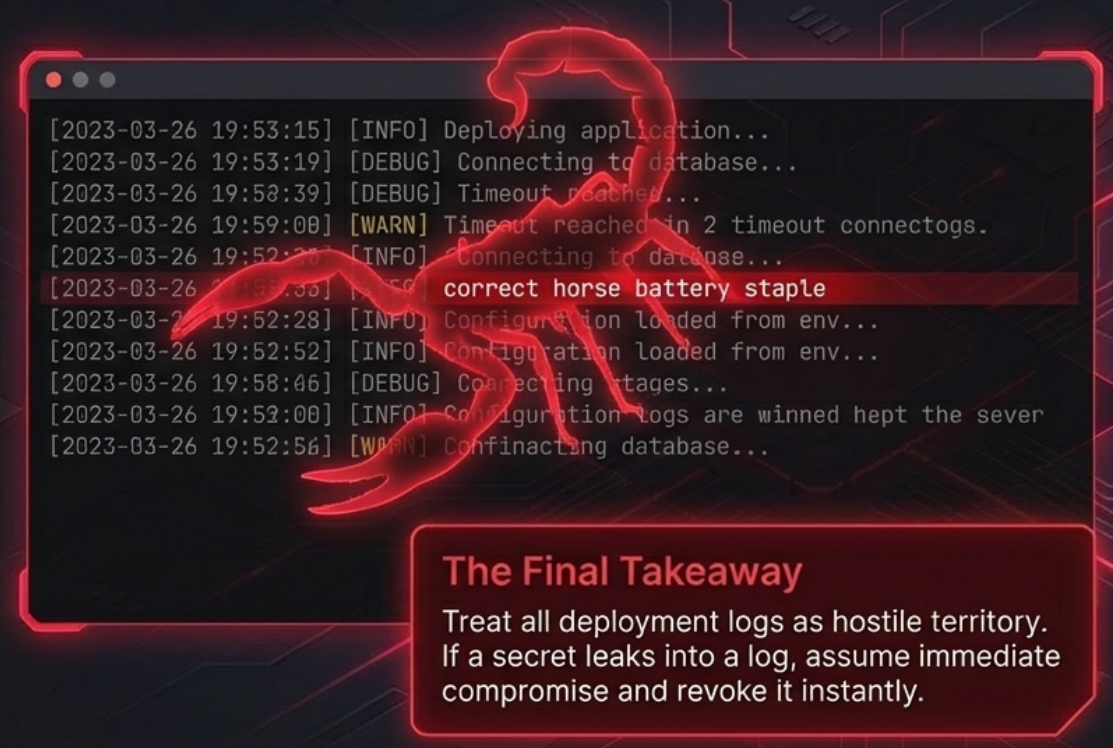
The most common secret leak vector is plaintext output in CI logs. Scripts that print environment variables, verbose Terraform output, or debug logging can silently expose credentials. Implement tooling that actively scans source code repositories and CI log output for secret patterns - so compromised credentials are caught and revoked quickly.
Backend Configuration and Workspaces
Section titled “Backend Configuration and Workspaces”Terraform stores all resource state in a state file. By default this lives on the local filesystem - fine for experiments, entirely unsuitable for production.
Centralised Backends
Section titled “Centralised Backends”| Backend | Cloud | Notes |
|---|---|---|
s3 | AWS | Requires separate DynamoDB table for state locking |
azurerm | Azure | Built-in locking via blob leases |
gcs | GCP | Built-in locking |
consul / pg | Self-hosted | Full control; you maintain the service |
remote / cloud | HCP Terraform, Scalr, Env0 | Remote execution; plan and apply run off your machine |
Every production backend must address four requirements:
| Requirement | Why |
|---|---|
| State locking | Prevents concurrent apply runs from corrupting state |
| Access control + logging | Only CI/CD pipelines should write state; log access for incident investigation |
| Encryption at rest | State files contain all resource attributes in plain text, including sensitive values |
| Tested backups | A corrupt or lost state file can orphan all managed resources |
Partial Backend Configuration
Section titled “Partial Backend Configuration”Hardcoding credentials or environment-specific paths directly in the backend block is a security risk. Use partial configuration instead: leave the backend block minimal in code and supply the remainder at init time:
# main.tf - committed to version control (no secrets)terraform { backend "s3" { bucket = "my-tf-state" key = "prod/terraform.tfstate" region = "us-east-1" # access_key and secret_key omitted - supplied externally }}terraform init -backend-config="path/to/backend.tfvars"# or rely on TF_VAR_ / AWS_* env vars in CIWorkspaces
Section titled “Workspaces”Workspaces let you maintain separate state files for different environments while sharing the same code:
terraform workspace new stagingterraform workspace select prodInside code, terraform.workspace exposes the active workspace name, enabling conditional sizing:
locals { min_workers = terraform.workspace == "prod" ? 5 : 1}Migrating between backends is handled automatically: update the backend block and run terraform init -migrate-state. Because backends are built into the Terraform binary, review upgrade changelogs when upgrading Terraform - backend parameter names occasionally change between versions.